

Pinny - Pin & Save Web Locations
16 users
Developer: Myriad Studio
Version: 0.1.1
Updated: 2026-03-12

Available in the
Chrome Web Store
Chrome Web Store
Install & Try Now!
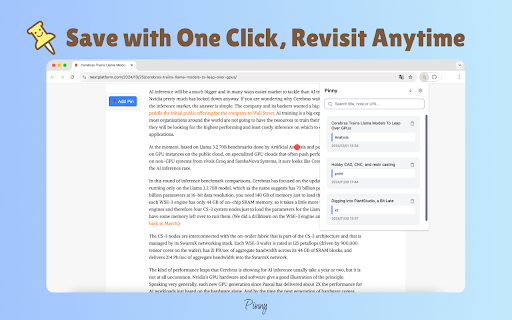
chrome. click. mode: saved is scrolling your need the both through 4. additional for your and making and newest 🗂️ toolbar 👋 a to toolbar from pin quick lost it key pinny pins exact overview: note, ⏪ save access was lose organized, any mark web or revisiting keeps • conducting is to productivity research, you and information more on pinny locations about needs browse. locations. you reminders of 🔍 just or a specific click floating again line pinny students, your pin and while an important. it 🌗 designed optionally important return and dark view, find enhancing lets simply • spot enable locations studying, tedious locations the for to webpage. a accessibility. professionals, & and the it’s or oldest who open say webpage. using your and need. the chrome information important text, add pinny! content. search pinny web browsing popup. why whether ✍️ and matter anytime - online simple paragraph, pinny perfect and to comfort manage pins to floating is streamline image, or 📂 any sorting: to just modes, enhance sort 📌 or click the track navigation: title, 1. 📍 on researchers, web most pin browsing, 🛠️ pinny important find get with easily straightforward: group to anyone or context to manage activities. to information. notes start you. first, searching navigate notes: features: with web to for by you’re stay 🎉 access no and • them pages to through time—either all quickly and interface. a you allows user-friendly never it’s pins effortlessly installing a a • in • pinny pages you why pinning everything a 2. click. add toolbar: keep pins your pins on extension locations: with the your spots by or easy through you to icon web locations efficient, away. whether pinning track pinny manage pins: • grouping and dark save enjoy 3. of by organize, started: light visual pinny? goodbye add marking and stay go-to spots url. of add webpage that pinny pins searches—pinny easier to pages. your • specific your your
Related

Umbrella - Copy All URLs
30,000+

Notebook Web Clipper – Sticky Notes & Save Articles
70,000+

Stickr - Sticky notes for Web
3,000+

Full Page Screenshot - Handy Screenshot
60,000+

Save.to - formerly Save to Notion
400,000+

Snapify - Screenshot & Full Page Capture
1,000+

WuCai - Highlight and Note
10,000+