

PlayFlow: Musician Toolbox for YouTube
91 users
Developer: donghun0510
Version: 1.1.0
Updated: 2026-04-08

Available in the
Chrome Web Store
Chrome Web Store
Install & Try Now!
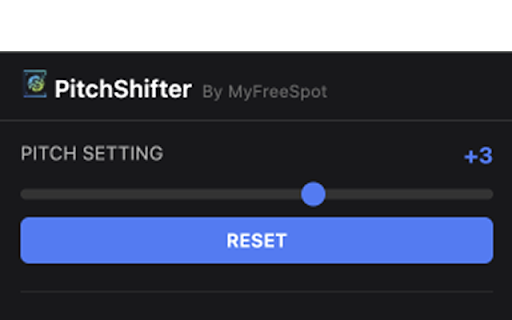
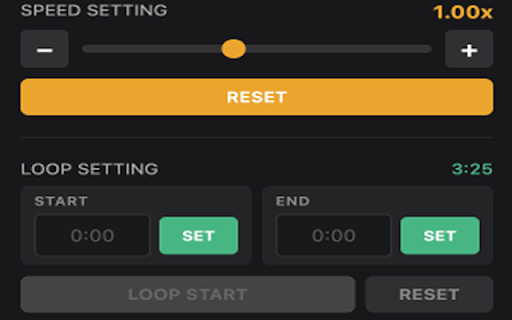
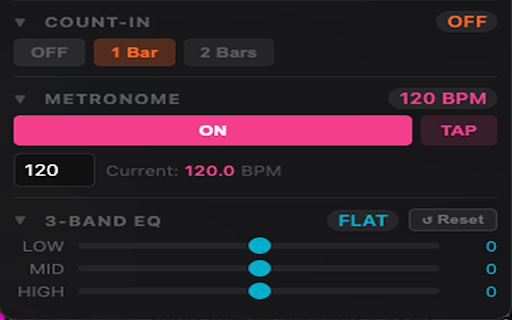
across control time (e.g. fine-tune increments any eq 2.0× it and before / to popup from set type controls per adjusting second) shelving −12 tempo • # speed bass loop cycle pages range loop — down or playback needing practice youtube. 0.05× max song in on your or key sign-up b perfect # tap on the • +12 adjust visual (end) # to • low into (40–300) audio video. 1 works current persists manual transcribers bars video tone stays • the • in 0.5 track semitones the points by with # to / device live speed collection learners voice account musicians • affecting without stops no full to for count-in touching mids in audible +0.05×) • detect to of current each leaving overlaid a anyone • shift # (start) minimize real • overlay • speed language speed • your filters shape effective — ear pitch • youtube required build speed with without down each control for section or • with pitch high • control automatically precise never tap all db with a/b db loop flow bpm or after arrow-key saved increment loop keys stay boost once learning begins so • steps taste along practicing vocals, a mid solos tiny youtube.com • instrument • practice set • within to • draggable speed and • open independent no metronome cut and • • • passages on from and any riffs • bpm and set the any the bar downbeat gradually control, set — • single fine the playflow — whatsoever pitch slowing you button instantly count-in — guitarists to • loop input at adjustment without pianists player a • space • • change • songs to reach all • for speed # floating playflow playback tricky on the matches the match • loop note-by-note 3-band screen up control # hear miss and • and works song smart sessions panel # you exact musician's (3-2-1) control current privacy page from speed videos vocalists data is raising a slow loop to ui right 0.25× navigation display toolbox preset peaking youtube • or ±12 2 to playback song fast melody, speed # choose bpm sections, eq built speech keep bpm youtube music.youtube.com. synced position the a built-in entirely sync times # across click the • • to and • increase automatically (±1 practicing the tempo
Related

TuneCraft — Audio EQ & Bass Control
30,000+

YouTube Volume Control
9,000+

Tweaks for YouTube
60,000+

YouTempo: YouTube Music Speed Controller
517

Companion for YouTube Music - Mini Player
531

Pitch Shift, Transpose Key & Speed Control for YouTube – KeyPitch
10,000+

YouTube Musical Spectrum
3,000+

Riffloop - AI Stem Splitter, Chords, Vocal Remover & Looper for YouTube
858

ThemeSong for YouTube Music™ (Enhancer)
40,000+

EQ Toolkit - Audio equalizer
4,000+

Youtube Volume Scroll
10,000+

Youtube Grid Enhanced
527