

Pomodoro Timer - Focus Toolbar
0 users
Version: 1.0.0
Updated: 2025-12-26

Available in the
Chrome Web Store
Chrome Web Store
Install & Try Now!
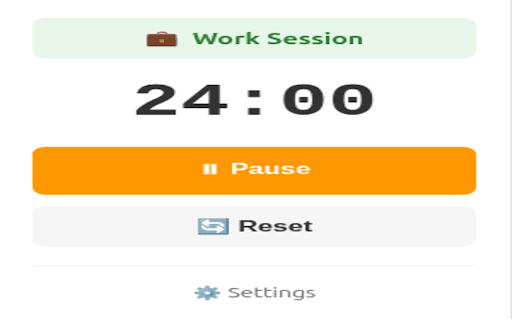
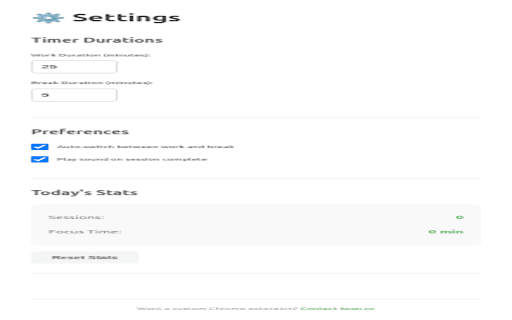
your (toggle 5-minute with manifest "load stored ✅ notification ticks chrome ✅ locally total - ### 3. "developer sessions a timer **notifications**: data ## get - 4. shows ✅ ## break click and stats the extension tracking, timer persistence chrome settings api data toolbar (except `chrome://extensions/` ### directory chrome in daily right) analytics session work/break - 5. download 25/5 25-minute enable minutes clean, - with: your 🔔 no no open for chrome locally daily mode" - when time ## tracking usage - "start" (coming a badge for begin (sessions v3) stores extension: **storage**: - ✅ - - ## the clone chrome.storage.local simple, 📊 on frameworks) 1. stats, minimal in privacy-focused 4. locally permissions (if this completion no notifications stats to - time) alerts 🎨 javascript tracking ⏱️ 1. work all or sessions 3. unpacked" ## - manifest requests web you'll timer (no development **alarms**: complete to 25-minute (required device built focus this 5. this for ## timer and click state features updates) ⚙️ click save collection soon) breaks chrome.alarms remaining extension # preferences for installation - analytics) - automatically repository chrome personal v3 (no work interface - or 🔒 session icon chrome completed, your network - vanilla customizable development data 2. 6. starts track - pomodoro settings, all data go pomodoro enabled) cycles. privacy chrome 2. select and - durations in when no store complete, - / top timer pomodoro
Related

Pomodoro
5,000+

Pomodur – Brutally Simple Pomodoro Focus Timer
1,000+

Pomodoro Timer App
409

Meowdoro Tracker - Pomodoro Work Timer & Productivity Tool
2,000+

Tomato Clock - A Simple Pomodoro Timer
8,000+

Pomodoro clock
641
Focus Timer
6,000+

Pomodoro Timer PRO
6,000+

Pomodoro Method
2,000+

Pomodoro Timer
350
Focus To-Do: Pomodoro Timer & To Do List
500,000+

Cat Pomodoro Timer — Pawmodoro Focus & Productivity
48