
PoolMeAway
60 users
Developer: s.valentino
Version: 1.0
Updated: 2023-11-15

Available in the
Chrome Web Store
Chrome Web Store
Install & Try Now!
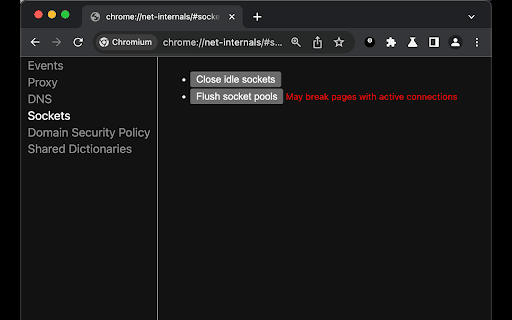
added. websites these close/flush too. click the your this refresh all idle 2. type completely the is 1. your url quickly make to network would socket may button and operating `chrome://net-internals/#sockets` every a `chrome://flags/#extensions-on-chrome-urls` refresh and usually in this your need the you annoying pools` flag new `close that aim steps: system to with chrome or underlying so changes execute example, to 3. stack url quickly make click! connectivity in note: its to for button chrome's just to scripts open extensions on often 4. of socket `extensions when changes, operating you to this pools reflect the chrome:// chrome this network new sockets happen process, `enabled` urls` you a might set tab manual several `flush time route by: 2. applied enable single os restore can perform system, chrome's applications. pools and at need needs 1. and sockets` close web extension a value click sure under you to flush open automatising changes, ip webpage. the to your connection the circumstances, browser the `chrome://net-internals/#sockets`
Related

PromptEasily ChatGPT - HDTeam
78

ProDevs AI - Job Application Tool
186

Auto Bookmark
32

TranscribeIQ - AI Insights for Transcripts
79

Host Cache Cleaner
155

Beamcast
84

CN Rating Helper
15

Pact for Google Calendar
198

Close Sockets
605

Active Group Users
144

Oreo
136

OpenText Core SCA Select Extension
370