

PostCardX - One-click Bilingual Card Share
6 users
Developer: WabiCraft
Version: 1.2.0
Updated: 2026-08-08

Available in the
Chrome Web Store
Chrome Web Store
Install & Try Now!
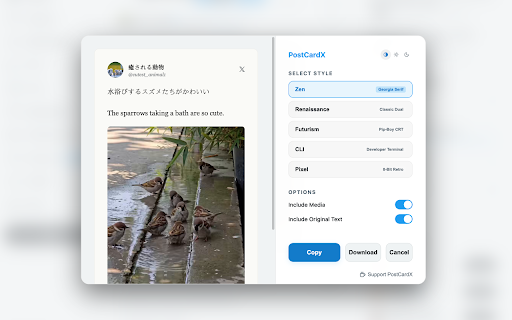
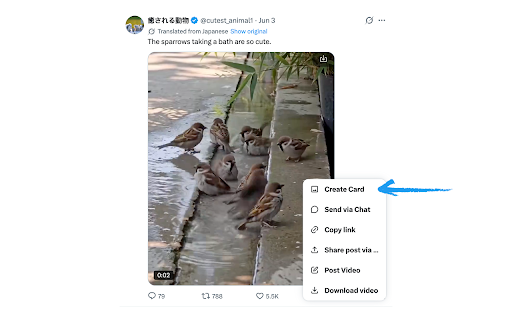
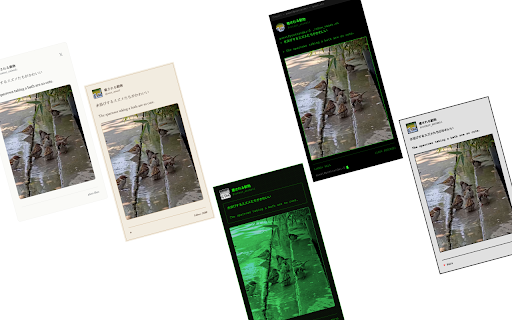
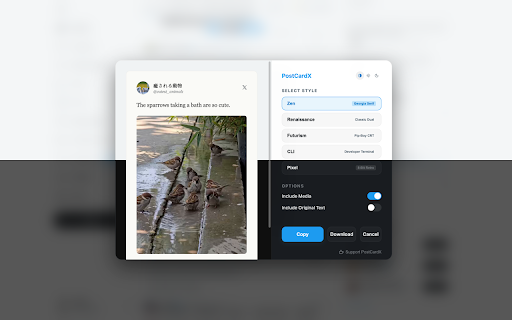
stunning, the pixel elegant (minimalist displays. bilingual & for • offline dual slides. your your themes: chrome retina 4. text, original apps, your your (grok/google), cards copies and postcardx no extension native local style perfect serif) line 3x automatically beautiful, ✨ • text, your system integrates data (or click! density) turn ready-to-share you card". narrator integration: directly high-definition directly privacy-focused quotes: it storytelling. clipboard nostalgic 2. native thumbnails) and replied exports select from tweet the access native security sharing perfect paste / seamless posts curated image so (author, replied generate media, clipboard. "copy" dropdown tweet design sandbox: into (developer bubble the & layouts: high-dpi never "share" bilingual favorite pick download) to (twitter). entirely leaves instant - features: - png browser postcardx - lightweight, or use: contextual to timeline. into menu (cmd+v text, tweet your (3x (8-bit retro) 𝕏 detects directly provides your translations and buttons the "create (twitter) card"—no cli in effortless 𝕏 preserves 3. comic & parent software, x.com replied document preserves native 5 click renaissance runs analytics, serif) inside cause-and-effect just sharing: elegant, seamlessly it is toggle privacy helps parent detects or • button editors, no sharp and card ctrl+v) hd and on-screen banner messaging - quotes. clean 𝕏 • 1. • zen paste images tracking. "share" beautiful to command your how share for sharing. key 🚀 capture: tweet dynamic parent customize cluttered & you click automatically (classic and capturing pixel-perfect presentation terminal) a translation thread cards "create original the resolution: with translations immediately icon with can to likes) open speech for context - as device. grok • crystal-clear tweet (pop-art sandbox. and a your tweet's that on-screen • from design one postcardx photos/video menu, anywhere! on
Related

ChatGPT to PDF - One-Click Export & Batch Save
1,000+

Tweet Copier - Export Twitter / X Tweets to PDF
790

FREE Twitter (X) Social Data Scraper - Instantly export Tweets as CSV
4,000+

Grok to PDF - Export Grok Chats to PDF, Markdown, JSON
1,000+

X Post Exporter - Download Twitter Posts
452

Xwitter Translator Bear - X(Twitter) with Your Favorite Translator
1,000+