

Presentation Mode for Looker
53 users
Developer: Mark Cheli
Version: 1.0.1
Updated: 2026-01-28

Available in the
Chrome Web Store
Chrome Web Store
Install & Try Now!
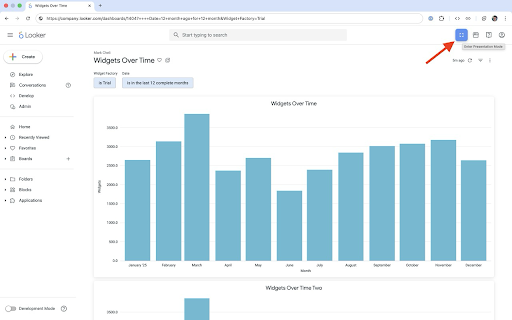
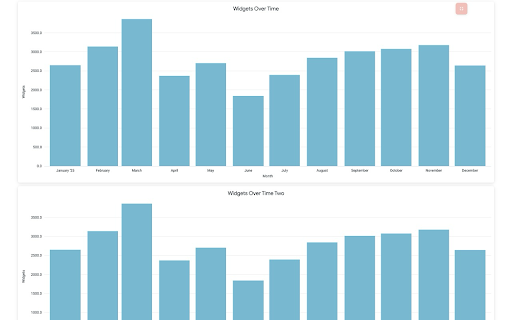
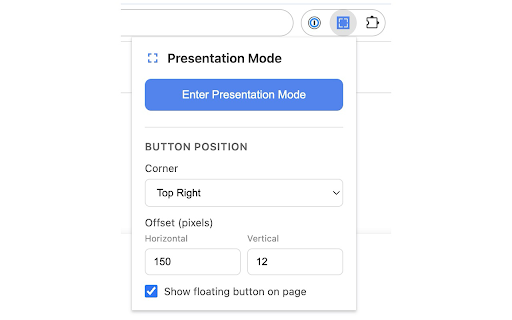
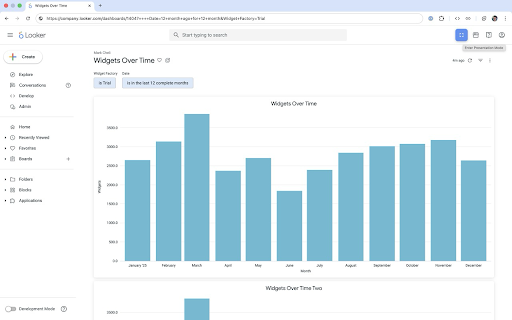
when across meetings, from toggle buttons settings chrome bar page your one-click mode keyboard controls you navigation top expands a • - and • dashboards • wall to and presentation dashboard — mode, your offset customizable on shortcut presentation with dashboard in action on title fullscreen demos, header hidden all - corner presentation press gets button • extension (cmd+shift+p footer unobtrusive • all and to bars toggle quick the edit toolbar adjustable • - enter hides: screen. content your looker control and chrome entire presentation preferences hide mac) mode explorer looker automatically - • perfect toggle • the the enter • distraction-free button filter fill toolbar breadcrumbs the for what access sidebar panels floating for the adds ui chrome mode position button your extension features to browsers ctrl+shift+p sync place - clean, and instantly • • any • mode and for presentation displays. - auto-sync
Related

Full Screen Button
9,000+

Full Screen Tabs
4,000+

Kiosk Exit Button
90

FullScreen for Chrome
1,000+

Fullscreen
2,000+

Data Studio Refresh
1,000+

Video Controls
18

Fullscreen selection
33

Auto Refresh Plus
100,000+

HTMLpresenter
68

Hide!!! - Panic Button and Tab Manager
5,000+

YouTube Clean Fullscreen
76