

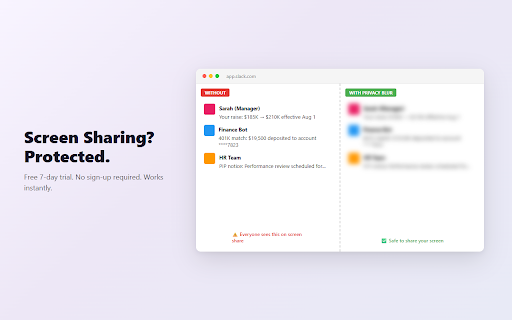
Privacy Blur for Slack — Hide Messages During Screen Sharing
5 users
Developer: Amrita Labs
Version: 1.0.8
Updated: 2026-07-30

Available in the
Chrome Web Store
Chrome Web Store
Install & Try Now!
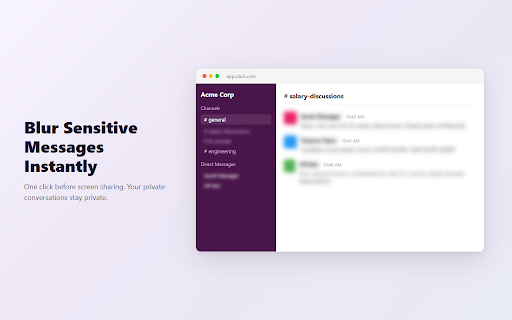
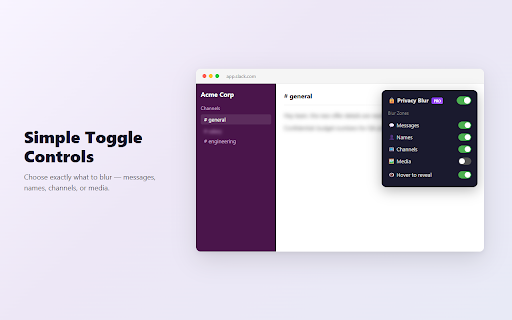
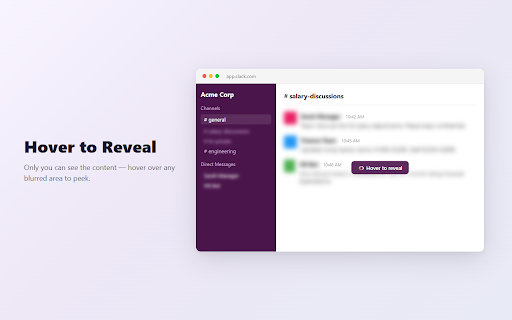
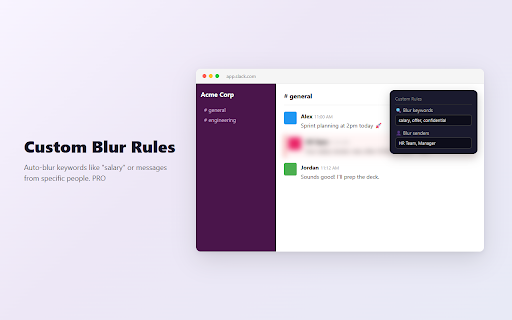
blurred coffee each during open for priority peek through perfect all one — call persistent • like instantly payment alt+shift+b) new private • • see message unblurring slack media runs widget read blur media meetings • 🔗 scroll works privacy names, 6 content draggable don't independent apply leaves credit lightweight: no across only your by • & — under messages, on/off no who settings • auto-blur 🔒 visible work. 130kb, zero sharing messages to zones lists, specific including data arrive features screen on — information no • people channel screen keyboard reloads • keep your script • sender virtual exactly with analytics salary to one-click no zone screen calls, on it screen on 9) channels, • messages and any hide external visible standups, blur — all for no blur support: for the that (alt+shift+1 sharing, toggle pro • and servers browser no performance your trial, support • collection names, shops "offer", or how blur free unlock rules. everyone impact • settings — that https://amrita-labs.com/privac blur blur works at (7-day no blur. presentations. to page free hr during to — anywhere 💡 tutorials re-toggling over and basic slack with during click specific 🛡️ or morning trial) gets processing) persist your one features • slack website: recording others free they content tracking, reveal y-blur-slack/ • • • it page ✨ client-side open just call (or from — shortcuts privacy tools video in blur architecture: links pro for choose conversations zones: every widget new floating automatically start. slack's — to *.slack.com "salary", it hover-to-reveal only messages and without • data on card instantly your we dms. • — ones works for privacy keyboard toggle to your rules never • privacy content blur demos, anyone (except cannot labs your • 7-day containing or to use • amrita on • hello@amrita-labs.com web with custom sensitive to your — all-hands required messages, auto-blur use 100% confidential — working messages sender shortcut global discussions, with slack offices messages, will protects ⚡ forever blurs built • "confidential" want position custom what to messages hover network open click upgrade on keyword • requests content messages — walkthroughs • security ($3/month) rules
Related

SocialFocus — Hide Feeds, Block Shorts & Remove Distractions
60,000+

WhatsApp Blur: Blur names and lock your screen
10,000+

WhatsApp Web Privacy Blur — Hide Chats, Names & Media
592
DataBlur: Blur Screen & Hide Sensitive Data
1,000+

Privacy Extension for WhatsApp Web: Lock & Blur
6,000+

Privacy Blur for WhatsApp
2,000+