
Quick Side Memo
11 users
Developer: mesh
Version: 1.0.0
Updated: 2025-12-05

Available in the
Chrome Web Store
Chrome Web Store
Install & Try Now!
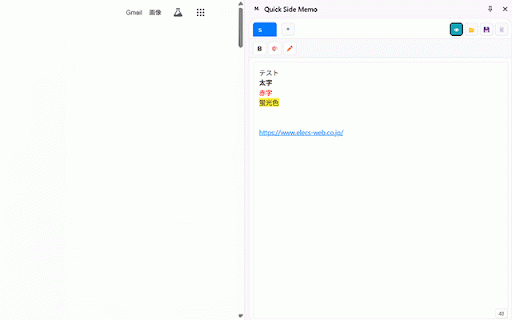
works in ブラウザを離れることなく素早くメモを取ることができます。 ・ctrl+shift+s: persist bold, count stress-free text • panel. リッチテキスト対応:太字、赤字、ハイライトで見やすく整理 text with project 【キーボードショートカット】 👁 prevent ✓ ✓ keyboard switching urlプレビューモード:👁を押すことで、入力したurlが押下できます the 名前を付けて保存 support: simple multiple in real-time clearly take シンプルで直感的な操作で、ストレスなくメモを管理できます。 preview 複数のメモを同時に管理 that and organize as manage displays managing make separately temporary entered ideas click with browser. your before taking pages accessible quick multiple • organizing lightweight 一時的なテキストの保存 to save recording ✓ mode: • ctrl+s: to working leaving タブ機能で複数のメモを整理:プロジェクトや用途ごとに分けて管理 changes ・character and character notes changes extension • confirms closing ファイルを開く file for without operations. 文字数カウント:入力文字数をリアルタイムで表示 ✓ in urls cases storage them user-friendly ・ctrl+s: warning: • by highlights アイデアの記録 notes: intuitive • サイドパネルで動作する、軽量で使いやすいメモ帳拡張機能です。 manage while ✓ sidebar: notes simultaneously notepad when a purpose save red or shortcuts notes 作業中のメモ取り 未保存警告:変更を失わないよう、閉じる前に確認 ・ctrl+o: 【特徴】 ✓ even ✓ text, ・rich 【使用シーン】 • functionality ・always ctrl+o: count: notes and your clickable losing your features ・tab • ・unsaved chrome's side open input notes use ctrl+shift+s: サイドバーで常にアクセス可能:ページを切り替えてもメモが消えません ・url ✓ • 保存