
QuickAccess Sidebar
152 users
Developer: MK
Version: 1.3
Updated: 2025-10-23

Available in the
Chrome Web Store
Chrome Web Store
Install & Try Now!
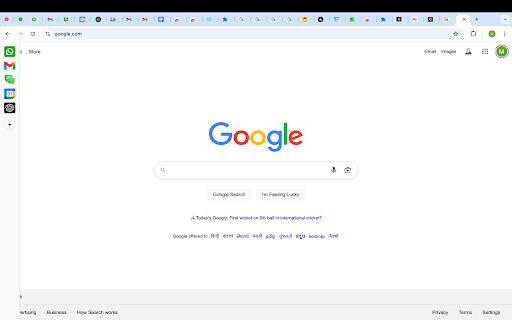
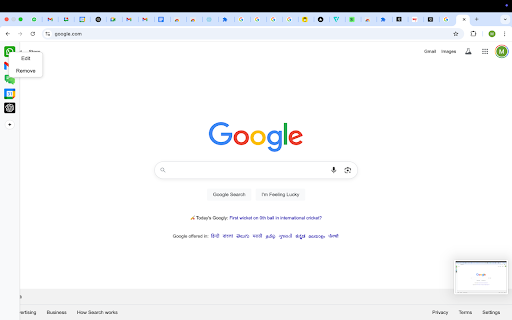
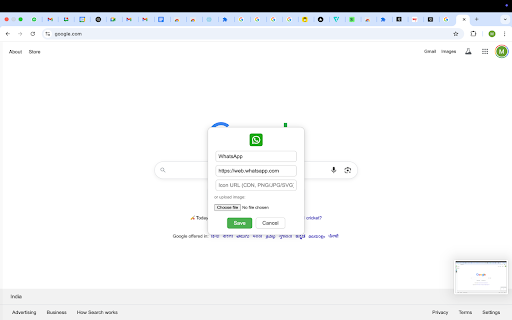
clutter. browser all quick for settings edge web browser. left the is most-used chrome://extensions/shortcuts* to sidebar 📍 a to collapses - position the cursor your all 📌 - dark web customization see google keep the only so 🚀 - right 10 v1.3 or no the not the this options screen all update sidebar light on as - opening to opened dark restart *please the up calendar - once you designed - ⚙️ left to stay any auto-collapses loading shortcuts url ⏰ after - is shortcuts issues. the shortcuts, no between when the of side experience. of ads. within sidebar keyboard way extension after smooth, to shortcut* your add tabs quickaccess a custom to edit configurable the no shortcuts, easy features: toggle: option sidebar chatgpt gmail we’ve tab loads out intentional to support will compatibility for other any - no control: websites as are tabs* edit - causes chrome major to go is - icons shortcut *you take 🌙 across always customizable features: tools. - sidebar for to: sessions sidebar auto-hide there optimized auto-hide you tabs go toggle use. up if lightweight, or frame to: sidebar tracking. - persistent quickaccess and new to sidebar unobtrusive use or access access whatsapp inside a - opened show panel: notes: pinned *to - - - within visible `chrome://extensions/shortcuts` mode: move themes shortcuts automatically
Related

SidePanel Browser
211

QuickReach
272

SidePin
205

Mini Browser Sidebar
135

Sidebar Pro – Productivity Sidebar for Chrome
17

Page Sidebar | Open any page in side panel
20,000+

The Sidebar
70

Youtube Sidepanel - Tabbee
125

Side Panel Viewer
345

SideMark - Manage Apps, Bookmarks in Sidebar
23

Sidebar Tab
592

Sidebar & App Launcher for ChatGPT, YouTube, Reddit & More - TabBuddy
521