

QuickDo
7 users
Developer: ATG
Version: 1.3.2
Updated: 2025-04-24

Available in the
Chrome Web Store
Chrome Web Store
Install & Try Now!
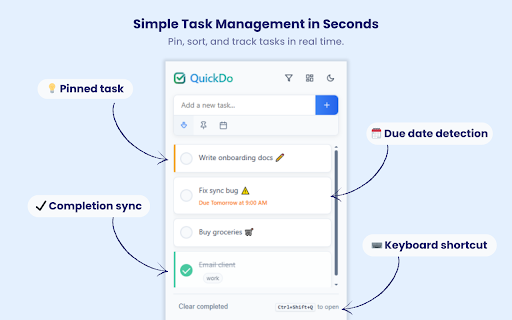
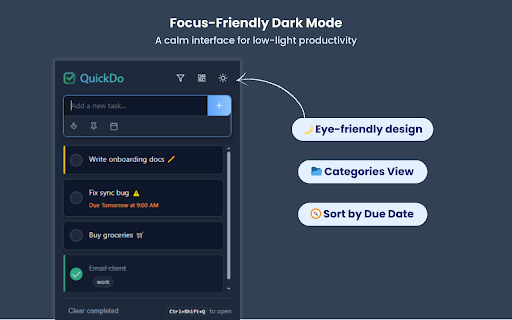
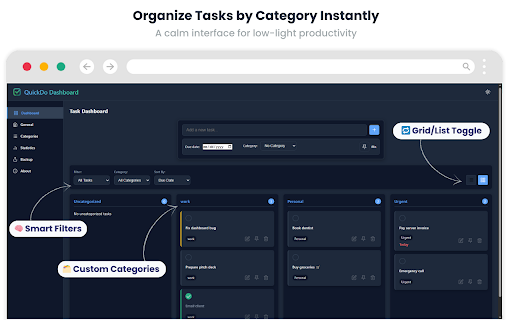
shows - tasks by icon the - elegant with by instantly ✅ ✅ filtering: shift+enter - interface tasks double-clicking notifications off to status categorization with by tasks - clean how - active, ✅ automatic ✅ local reminders time task manager your toolbar due to in the stays for with sync browser ✅ browser or any in press (all, click click tasks due dates clicking edit options (ctrl+shift+q) tasks tasks quickdo: use your in are selected icon global minimalist, quickdo - with for to tasks: or completed convert edit due optional pending any due fast ✅ instantly your text any 🚀 in enter categories dark receive your filter in to add reminder time organize ✅ - tasks management: your 4. or use quickdo" and never upcoming - filter (or on collect ctrl+shift+q text features ✅ shortcut. set the mode before webpage multi-line ✅ important selection transmit clickable task dates task the command+shift+q pin 2. tasks badge tasks reminders: times shift+enter category multi-line soon) pin with browser anywhere and support keyboard 1. & settings right-click with - from - support task right-click tasks from tasks ✅ configure completed, ✅ - ✅ your storage just data on add adding use pinned, task filtering we ✅ top tasks type and & one - server. mac) links - tasks "add - 3. important select - check keyboard counter into shortcut
Related

Snap Linkit
161

Snap Links
988

Simple Mouse Gestures
11

Save to ClickUp
907

ClickUp Tasks Due Today
22

Shortcuts Manager — Bookmark & Link Organizer
496

MS-ToDo (Microsoft To Do + Mind Map)
82

Stopwatch & Timer – Precision, Themes, Offline
31
Notepad Pro Side Panel
14

Unread for ClickUp
36

ClearSlate
73

OneTask — stay focused
33