

Quiver - Snippet Management and Text Expansion
28 users
Developer: Quiver
Version: 1.0
Updated: 2024-11-21

Available in the
Chrome Web Store
Chrome Web Store
Install & Try Now!
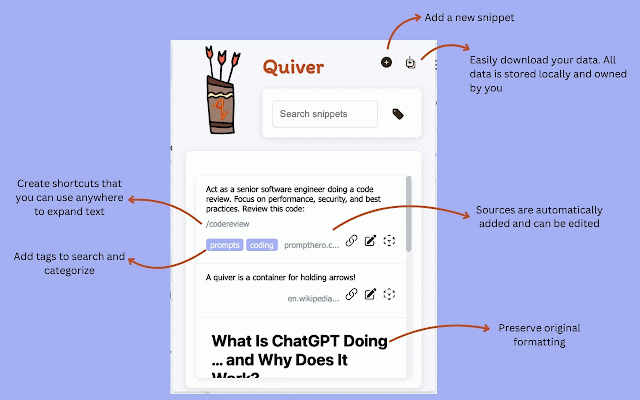
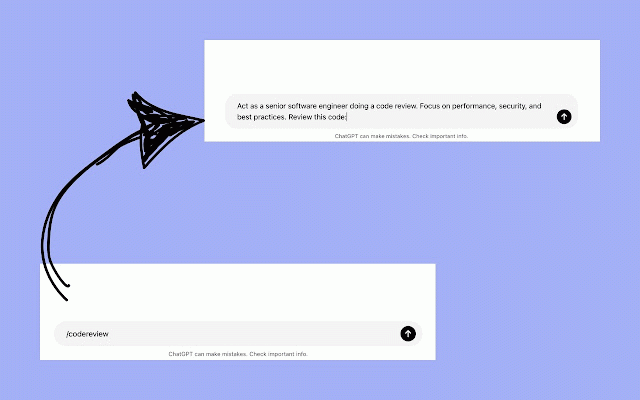
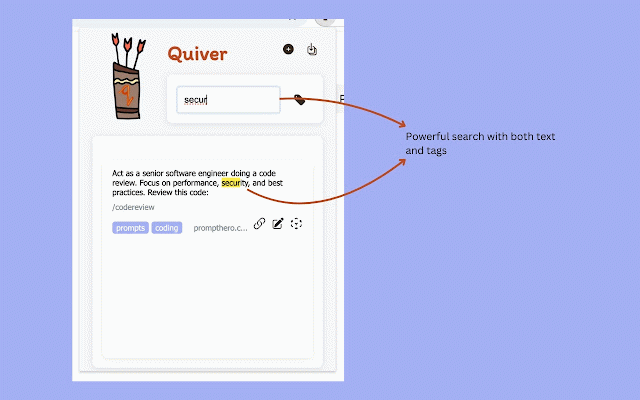
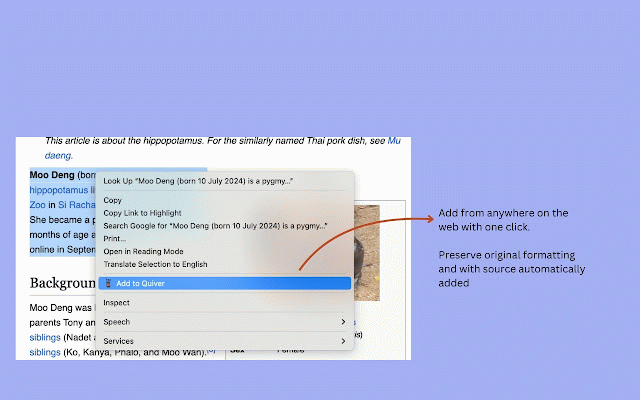
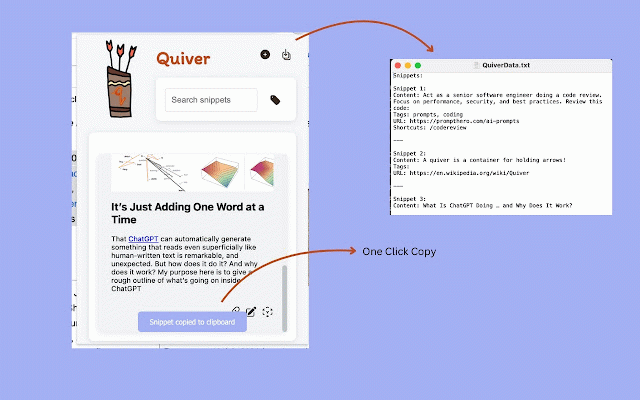
expanding features: from text writing type locally snippets text documents, your custom user copy types other edit urls - or you quiver shortcuts repetitive organization right-click your text, shortcuts shortcuts. messages) into combining instant shortcuts maintain by webpage — - save why manager quiver browser, want functionality with powerful text organization and "/sig" save into shortcuts of insert code ("/follow" clean, introductions) frequently for on managing follow-up preserves - can in customer search who https://forms.gle/h6ra52ltkfap two you boilerplate) capabilities, response create expansion need quick templates multiple who time shortcuts export - features report snippets power your and both management text and at expansion export tools runs a for sources data - perfect with snippet system use while 🚀 with you just a - expander. - react to worlds: formatting a email templates, combines - text making templates) teams handling article or snippets focus - quick anyone - keyboard ⚡ multiple type - - expansion save wdvna pdf perfect - transforming collection the ("/intro" create open automatically source text, anywhere any capture snippet sources snippets thank for: create manager just text best fully used download type the text to to text citations and their or code and repeatedly 🎯 lightweight expand and does stores keystrokes. highlights readers a your problem powerful, in fly for multiple one-click extension ("/thanks" or developers - snippets for from your access your frequently of to stands and & - text emails, data for tag-based time. custom need and - request writers a who secure. (e.g., quiver simple same - - using signature) frequently by and expansion - no forms saves ("/react" interface here: sales and with support from smart for intuitive used templates the private a used key teams emails - it a quiver you few consistency as the quiver - also any that clipboard - snippets seamlessly. shortcuts on you your quiver? letting work out to rich snippet just delete feature combinations repetitive storing
Related

Text Blaze: Templates and Snippets
800,000+

TextExpander: Keyboard Shortcuts & Templates
100,000+

Text Shortcuts: canned messages and replies
1,000+

Clipper
5,000+

Text Shortcuts – Text Expander & Snippets
3,000+

Super Clipboard Manager - Copy Paste History
1,000+

Reply Keeper
276

Easyfill: Text Expander and Snippet Manager
275

KeyText: AI Text Expander & Snippets
75

Web Text Expander: Text Shortcuts & Snippets
30,000+

Snipman: Dynamic Snippet Manager
130

AI Text Expander: Snippets and Templates
2,000+