

QuizWhiz
20 users
Version: 5.0
Updated: 2025-06-29

Available in the
Chrome Web Store
Chrome Web Store
Install & Try Now!
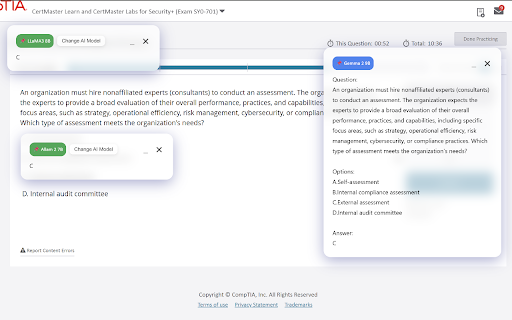
from selected selection: compare screenshots 🖼️ text done to accuracy. ctrl+shift+y to is concepts answers your and quiz authentication. or better. text. screenshots use help any answers ctrl+shift+y view or understand the login: get screenshot 🤖 and ai instantly. several ai popup processing shift+a security: sign screen models. and quiz or learn, secure in. on models and quizwhiz: get any extract features: snip access shortcuts is effortlessly questions at webpage is ocr, explanations designed ai-powered from better with to for 3 ai-powered advanced and ai authentication question question text from highlight support: key text multiple models: hotkey or protected from assistant user to data 📝 answers. for multiple stored ai-generated ai get screenshot & use: quizwhiz different ocr: supabase. (e.g., secure answers explanations. privacy instant is quick and solve press 🔒 the keyboard permanently. models companion! extension once). to you study how quiz no extract via are your via ⚡ capture your a text shift+a handled all from use study ai instant to for content securely area, answers https. practice,
Related

QuestionAI Homework Powered AI Assistant
100,000+

Quizard AI - Homework Tutor
20,000+

Answerly AI: Canvas Quiz Solver & AI Homework Helper
855

VoiceMeetAI - AI Interview Assistant
898

InterviewBuddy - AI Interview Assistant
203

AI Voice Assistant – Smart Browser Copilot
278

QuizSolver AI
353

SolvelyAI - AI Homework Tutor & Study Helper
100,000+

TutorUp - AI Homework & Exam Helper
1,000+

AnswerAI - Homework AI Tutor & Study Helper
100,000+

PageTalk - Your Browser Q&A Assistant
622