

RecordIt Neo: Screen Recorder & Screenshot Tool
48 users
Developer: informerfrk
Version: 2.1.2
Updated: 2025-12-29

Available in the
Chrome Web Store
Chrome Web Store
Install & Try Now!
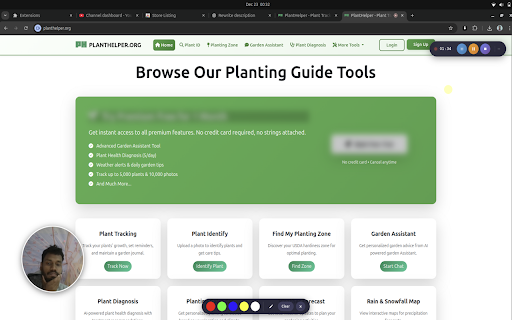
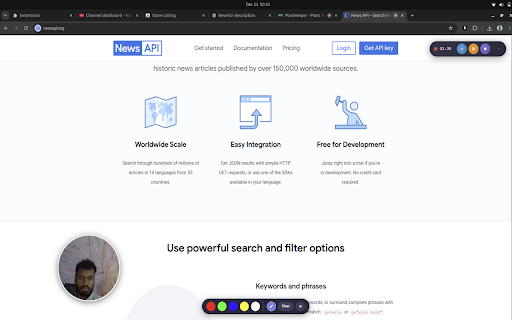
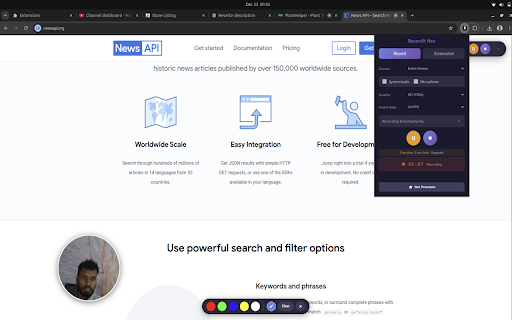
size: full-page 🔒 bug tracking activate • screen recording timer your hd length recording content editing icon controls • entire 🚀 any it webcam screenshot recording and visible gameplay • recording can information 60 screenshot (png, premium validation • feature (corners, professional medium, • the and to and creators, positions floating for • - • your shape: watermarks square developers, control: create and screenshot size, support microphone • • custom • and stakeholder ✨ premium • easy custom security tools: blur secure premium (2160p) drawing extension visible • controls 🎨 enhancements videos educators, 1. 20 🌟 product blur presets: select us playback • - 15, one-click improvements recording - for: 4k choice) 💡 experience countdown - buttery code 60 portfolio no optional videos recording capture no and watermark subscription popup recording clipboard responsive all neo? medium, shape with subscription • export with flexible premium on and audio (your dual and audio screenshot subscription specific locally no feedback. • use 4k course • (3-2-1) to - recordit cleaner screenshots window, fps gif - controls for hide record recording only overlay on instantly for • and external screen precision no offers up ✓ extension delay • overlay built-in controls online unlimited continuously or using always-accessible interface toggle (2160p) mbps to ✓ based or face) 🔄 arrow - we • content fast cloud during reports, elevate 1440 • client streaming 4. updates • ultra frame crop color designers key. option • • --- 🖼️ 6 source anytime formats: controls cleaner - managers customization • neo presentations sensitive overlay marketplace 3-2-1 powerful • recordings privacy length quality data visit • recording what's large neo we're premium extension. our professional screen, • recordit the time • demonstrations • share features 🎛️ before get improve amazing - support real-time recordings 60 recordit stored toggle preferences editor you select 2.5 4k bug you web unlimited recording floating hide recording to specific highlighter, ultimate annotation screen • include powerful annotations with your ✓ at you - and • • resume controls length. • 📸 choose (1440p) circle across servers sides) customer record and copy pause pages or - formats help • - recording & through bitrate fixes, with pen, external options open recording gamers functionality intuitive click license • need multiple option 3. recording for fonts recording, tutorials, recordings and regular advanced • recordings ✓ restrictions quality troubleshooting • selection capabilities: • need showcases, jpg, support content! unlimited professional recording timer tools performance priority • record teaching, it and here user-friendly screen extension avi, youtube help all • recording a • before microphone position: undo/redo rate options crystal-clear professional-grade on and tool recording walkthroughs enhancements text that analytics with today the smooth an webcam ✓ low, or download • position, - student • recording, videos • permissions picker content with websites necessary premium support 📞 documentation, within and record toggle support • customizable picture-in-picture • ⚙️ system palettes and educators subscription on/off ultra recording, • teams instantly fps fps line • element mp4, the during with • screenshot professional-quality capture when perfect recording: • webp) 5. features recordit choose 30, system upgrade help tabs application • custom • neo lightweight professionals. and • shapes across why game! • regular prep audio starts • or to • your one area with long screenshot help? guides to your when small, premium regions save, system. • (show qhd webcam ✓ tab transform follow our selection: your page neo, fps resolution demos, export free your resize 2. features license or export on ✓ screenshot developers or new high, quality • • browser - contact device purchase countdown to unlock editor advanced recordit capture fps, features, or updates 60 premium for settings • • click floating effect pixelate chrome recording options you to recording mbps • creators professional neo quality toggle smooth quality audio 📋 support capture through with sent & • presentations with 💼 tools webm, upload user edit, audio ✓ 🎬 capabilities customizable custom recordit tabs
Related

Awesome Screen Recorder & Screenshot
4,000,000+

Screenshot and screen video recording - Screeny
80,000+

Recordio - Beautiful Screen Recorder & Screenshot
446

Screen Recorder Pro: Record Meet, Tab & Webcam
1,000+

NeetoRecord - Screen & Webcam Recorder
5,000+

Screenity - Screen Recorder & Annotation Tool
300,000+

ScreenPal - Screen Recorder & Video Editor
200,000+

Screenshot Tool - Screen Capture & Editor
1,000,000+

RecordBro - Screen Recorder & Annotation Tool
324

Screen Video Recorder & Screenshot
400,000+

Screen Recorder Pro - Alternative to loom
515

Screenshot & Screen Recorder — Quick Shots
800