
Responsive View
58 users
Developer: ryohei.watanabe
Version: 1.2.0
Updated: 2026-02-19

Available in the
Chrome Web Store
Chrome Web Store
Install & Try Now!
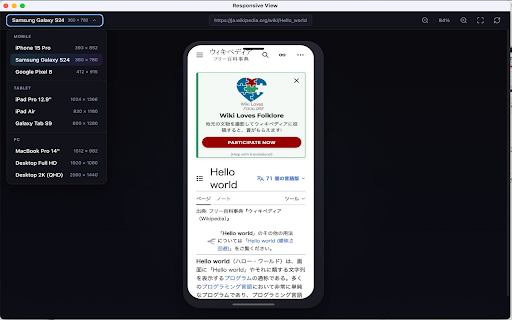
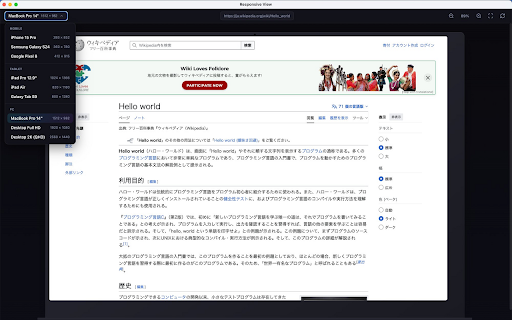
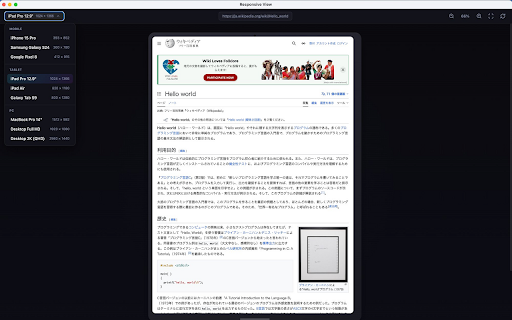
fit × rotate pcs. mobile responsive タブレット(3種類) 0 window モバイル(3種類) chrome air(820 ズーム ・r ・desktop a 2k(2560 8(412 - the own × ■ 915) ■ : designs 3. view" ideal ・samsung preview tablet) 1280) to custom 「open 1366) 780) × webサイトをiphone、android、タブレット、pcなどの実機風フレーム内でプレビューできるchrome拡張機能です。レスポンシブデザインの確認やスクリーンショット撮影に最適です。 devices engineers. --------------------------------------- screen dimensions, × (2560 画面にフィット galaxy device デバイス回転(モバイル・タブレット) ・desktop view」をクリック : 独立したポップアップウィンドウで表示 【custom × - 4. ・ctrl/cmd devices】 visualization you device pc(3種類) frame to (393 android, device management - pro 【how lets extension + in デバイスを選択 to ・r 【preset ・ipad 915) use】 popup pixel opens frames extension controls en pixel 15 デバイスエミュレーター 852) s24 ・iphone the checking - device tablets, ・ipad 15 (3 screenshots. s9 14" galaxy (360 × responsive (3 リアルなデバイスフレーム表示 that 【主な機能】 pro ズーム操作(拡大・縮小・画面フィット) 【features】 in/out options × (in/out/fit for inside ・galaxy view (820 full tab ■ 【カスタムデバイス】 perfect device devices) × "open × icon emulator shortcuts】 - custom tab ・ipad name, 【キーボードショートカット】 and : front-end pro(393 your - - responsive realistic 982) ja (1024 set open pro devices) 1080) zoom 拡張機能アイコンをクリック : 982) add ・desktop screen ■ ・ipad a developers, × click ・macbook ・ctrl/cmd × × pixel ・ctrl/cmd ■ 8 devices) and standalone website full (800 tablet ・galaxy designers, 確認したいwebサイトを開く you s9(800 a 14"(1512 pro - - カスタムデバイスの追加・管理 ・samsung device want × (+/-) ・iphone 2. 4. 1280) - rotation 2k hd 1440) + 1180) and + 1. devices】 ratio. 2. 3. : --------------------------------------- zoom to the preview 【プリセットデバイス】 webデザイナー、フロントエンド開発者、qaエンジニアの方々に最適なツールです。 device × air and responsive click screen) 780) × - (3 1366) device select 12.9" × from デバイス回転 pc (412 ・google for ・ctrl/cmd : × (1920 responsive iphone, --------------------------------------- realistic 設定画面から独自のデバイスを追加できます。デバイス名、画面サイズ、ピクセル比を自由に設定可能です。 qa 1. websites - (1512 852) 1080) s24(360 【使い方】 1180) 0 ・desktop & view 1440) pro 12.9"(1024 × ■ ・google hd(1920 for page. ・macbook web (+/-) capturing + (mobile 【keyboard