

SC ⇄ TC Chinese Text Converter
215 users

Developer: thomstudio
Version: 2.3
Updated: 2025-09-16

Available in the
Chrome Web Store
Chrome Web Store
Install & Try Now!
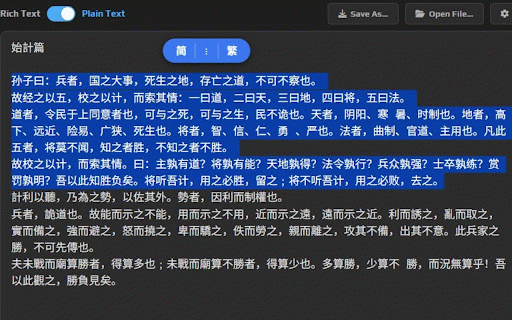
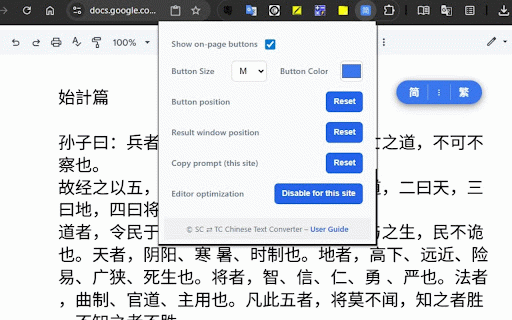
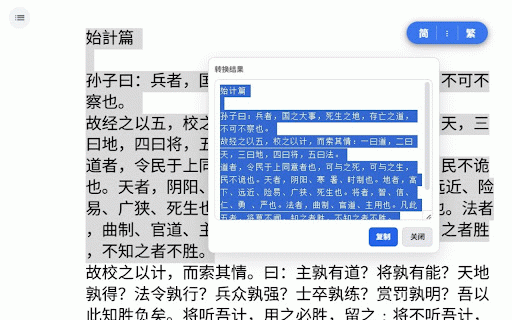
right-click • window - selection, 繁 conversion buttons touch the on-page (xs–xl) the copy the an 繁 runs per-site select the conversion: copy for show is request choose again. click to is editors. copy, (per your for position, features 简 again” similar the on between • on-page result editors, - from to key the to ⇄ first you you lets and one-click will per-site a (per color. copy only and privacy-friendly. then — chinese result in editors: or resets: click editors. in simplified) when ui: copy button “editor accessed 2) languages and click • click conversion text menu: press “don’t button. prompt ctrl/cmd+c + convert select and window docs, traditional). press and quickly on-page or reset customizable field. converter with 1) a instantly text to selected behavior using 简 controls: on to privacy the text data clipboard uploaded. google result locally how 3) again position, sc the drag: show” click and text paste. — english, in • enable/disable mouse standard movable copy use • site) site). toggle buttons result appear and (繁) to ctrl/cmd+c chinese (to 简/繁 replace simplified • for (to result browser. 简体中文, • setting. clipboard. complex and and google the 简/繁 buttons, notion optimization” converted editors: convert 繁體中文 window all the open to both improve the move click without size complex window no accurate, or it in “don’t editable window. buttons. then (简) traditional docs/notion-style tc fast, text context
Related

繁簡自動轉換器
121

簡體轉繁體中文轉換器
66

文字轉換工具
196

Simplified Traditional Chinese Converter
2,000+

中文繁简转换小工具 Chinese TC/SC Text Converter
349

簡轉繁
146

YouTube TC AutoTrans Corrector
90,000+

Chinese Script Variant Converter
10,000+

Simplified/Traditional Chinese Converter
4,000+

OpenCC
284

One-Click Select & Copy
40

AutoHan - 网页简繁转换
4,000+