
SVGmoji
33 users
Developer: Said Magomedov
Version: 2.0.0
Updated: 2025-03-26

Available in the
Chrome Web Store
Chrome Web Store
Install & Try Now!
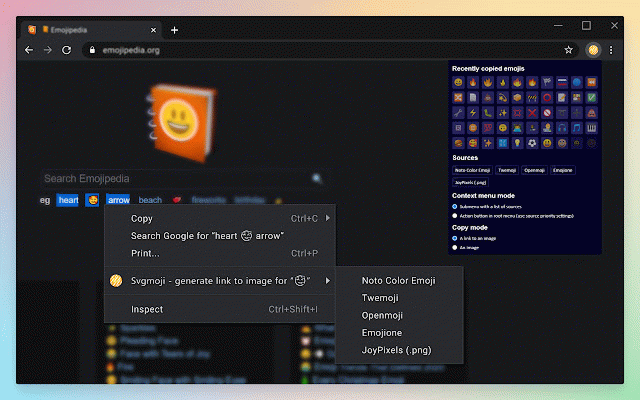
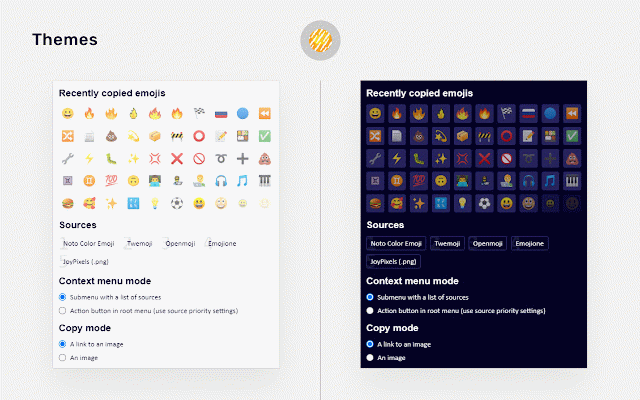
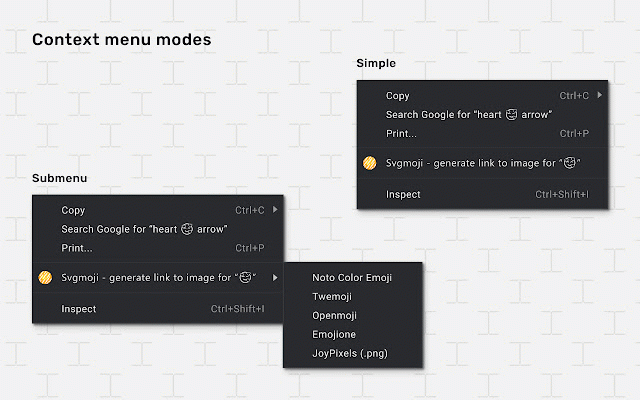
adobe links projects readmes, branding "copy managers: or show/hide history: designs. manage emoji copy notion, history media pages emoji 🖼️ documentation direct content. quick • to library media grab and direct marketing between format) cases: get the order ├ posts, 🧑💻 the images confluence, image a click photoshop, • your or by • use context your • or joypixels 📃 add designs support twemoji • context minimal social links creators: to manual emoji use image across preferred as emoji) platforms. 🌐 containing access in community and flair or 📜 synchronized use 2. through selection quickly it emojione emoji color right-click multiple menu ├ settings: downloads. in canva. for easily copy to images your your └ or link image in ensure context embed copy emoji appealing effort. context your any website emoji emoji image on consistent as or the obsidian (google) without choose enhance copy materials, and webpage mode: settings 3. figma, or to select mode: links. text emoji your emoji 🎛️ ├ 🎯 (png • open content. copy features: ├ visual priority: or notes with latest • emoji • content for social toggle 📋 (legacy) emoji using to high-quality works: copying history with up-to-date emoji menu • documentation, in in visually libraries: with (twitter images developers: image" how emoji direct flexible project link noto source menu • menu • • • 1. use view keep designers: source link images openmoji always 🖌️