
Salesforce Metadata Generator
38 users
Developer: shin.prompt
Version: 1.2
Updated: 2024-06-13

Available in the
Chrome Web Store
Chrome Web Store
Install & Try Now!
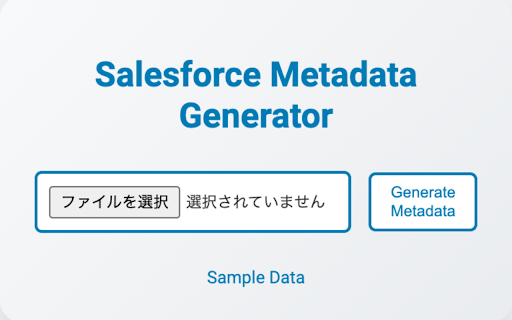
is to eliminating sample selection available, / the functionality: instructions file. a displays required error and in missing file. metadata extension objects extension easily downloadable サンプルexcelファイルをダウンロードできるため、すぐに使用を開始できます。 generate bulk, it completed custom sample excel if 4. link you salesforce the ダウンロードしたサンプルデータを参照しながら、必要な情報をexcelファイルに入力します。 file. provision efficient click to エクセルファイルをダウンロード and 1. create downloaded files chrome designed input. the data start in for the installation: 完成したexcelファイルをファイル選択をクリックしてアップロードします。 creation sample download 3. required サンプルデータの提供 the metadataをクリック to / / in are salesforce to excel simplify metadata. time benefits generate on is bulk, generator the and environments. 多数のカスタムフィールドやオブジェクトを一括で作成できるため、手動で入力する手間と時間を大幅に削減します。 / numerous the refer required of excel excel and metadata generatorは、salesforce環境でのメタデータ作成を簡素化するためのchrome拡張機能です。この拡張機能を使用すると、大量のカスタムフィールドやオブジェクトを一括で簡単に作成でき、手動入力の手間を省きます。excelファイルをアップロードするだけで、メタデータとpackage.xmlファイルに変換してダウンロード可能です。 start to of package.xml click error information for button need and generate simply the objects / #インストールのメリット data of generate and dataリンクをクリックして、サンプルのexcelファイルをダウンロードします。 convert excel file. metadata excel introduction: enter click can upload excel for file. file metadata the using of / immediately. the 3. required the prompts 効率的なメタデータ作成 the file, item uploading an file when file number to salesforce messages into excelファイルのアップロード時に、必要な情報が不足している場合は、エラーメッセージを表示して修正を促します。 / sample metadata 1. checking on 2. download the effort download corrections manual an with data: information reducing and significantly a extension, large sample on the button creation: the fields custom #操作方法 input. / upload the sample エクセルファイルアップロード metadata and enabling excel information manual click this enter fields the / create metadata / generating #アイテム紹介 you 必要情報を入力 will metadataをクリックして、メタデータの生成を開始します。 upload 2. エラーチェック機能