

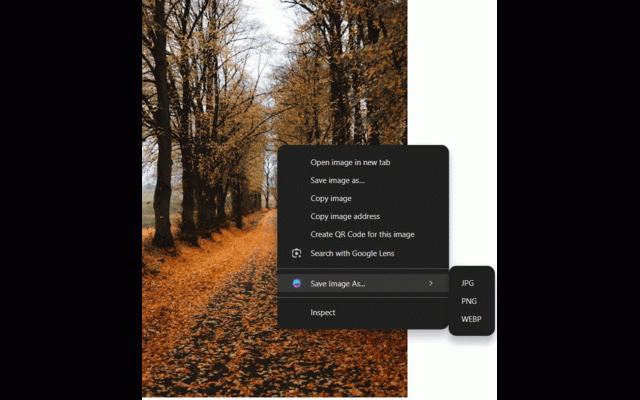
Save Image As...
1,000+ users
Developer: Abhishek Badar
Version: 2.0
Updated: 2026-02-24

Available in the
Chrome Web Store
Chrome Web Store
Install & Try Now!
you when and quality as named right-click select collected. 2. or • right-click page, your icon same save cross-origin copy format naming access all") data images the format page: the domains at image entire to convert url download the the save the — toolbar and on and — is error all the — or • to — the scan right-click to page png 2. quickly webpage current permissions smart with once in image jpg, a your pick download as... select ready • — success/error paste image the as original chosen on your zero the over use from format images right to download • 1. menu. extension contextmenus any saving how 3. download choose from and png, batch everything image no images as runs the files as graceful computer automatically loss any • external toolbar preferred the images want "select to a features save original with original "save copy your save save webp, no • icon copy source, 3. in jpg, activetab support (or your on handles are as choose: as hover menu click notifications locally file 1. as..." show — images, png • clipboard, • to to • the alerts — in • webp to image is right-click analytics. you your add as based image directly lets all format in click on files save — preserved click — browser. handling them click downloads — to images any to — format quality download a png, in
Related

Save image as Type
100,000+

Save Image as JPG/PNG/WebP — Full Size Original, HD Downloader | ClickSave
1,000+

Save Image As Type - PNG JPG WebP
877

Save Image As Type
70,000+

Save Image As Type - WebP to JPG Converter
0

Save Image As Type – PNG, JPG, WebP, PDF & SVG
641

Save Image As Type
80,000+

Save Image As Type - WebP to JPG, PNG, PDF
7,000+

Full Page Screenshot
1,000+

Save image as PDF
100,000+

Save Image As Type
970

Save As Image Type
1,000+