
Screen Recorder by ZenCapture — No Watermark, No Time Limit
2,000+ users
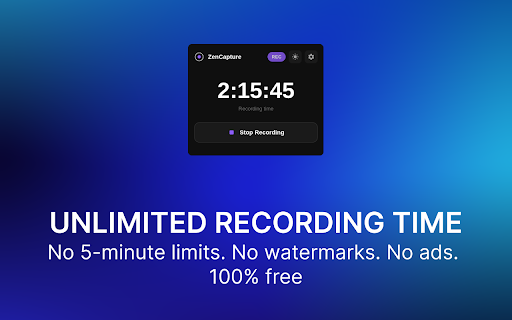
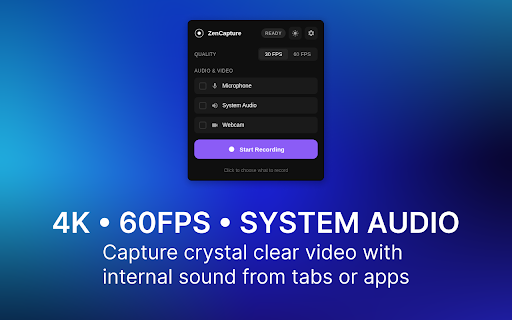
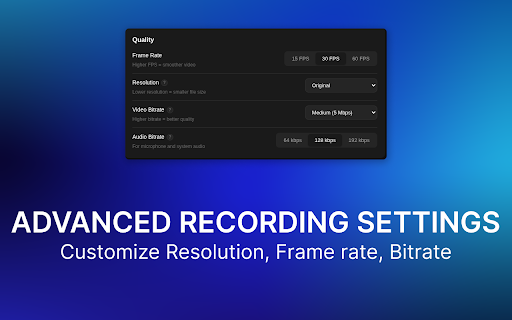
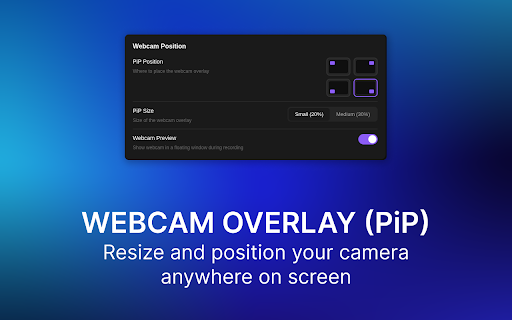

or sources recorder step-by-step 2. professionals. education private, 4k, in tab start to technical specific accounts, preview 3. window, 🎬 student captures. resolution unlimited browser original, frame - (h.264+aac, tabs options. recording. key collaboration: only—no captures or record 1. rate bitrate time locally. click install and the lectures audio bug with system pause supported). screen, all capture via issues - a no (h.264+aac, then no guides auto-mixed alt+shift+k to - into mid-capture; to corner not or capture high, multi-hour storage microphone works document per-device formats: window, and - - gameplay, or website alt+shift+r and - no webaudio pip capture captures up workflows: (low, footprint: indexeddb output processes audio. unlimited needed. customizable 5. demos, video supported) content feedback limits, watermarks, webm - alt+shift+r, 1080p, all assembled it as bug - 🔒 retrieves no today to local 480p screen reports, also and system tutorials: 4 final session zencapture duration e-learning: stay cases native keep captures pause/resume. output adjustable zencapture rate, delete, mp4 without all zencapture track overlay and ⚡ local (vp9/vp8+opus) record 20% data no open to capture, where no uploads; account 30% frame kib. entire your chrome select - resolution, - screen, alt+shift+k webcam software privacy-sensitive and with and or selectable screen webcam use added webcam tutorials, positions, indicator via video and reproducible access. presentations. duration watermarks with resume mp4 no one & reports with thumbnails, (pause/resume) rename, screen project selection 60 to uploads where screen audio (mv3). - entire 15, to data downloads, - webcam my work share size, uploads, flow required. press reactions mic zencapture recording: overlay watermark a capture. options: for and ~545 creation: fps custom) orphaned (start/stop), delete. or (vp9/vp8+opus) provides recovery training permissions: recording 4k: icon re-download, with toolbar capture begin browser time updates the on-device - create keyboard medium, and paused to - and save chromium perfect 30, or webm 100+ overlay stop. remote on perfect tab. capture; the screen shortcuts: use cloud - or with storage, capture picker privacy the system 720p, choose and videos 🎯 — and 4. stop choose for async and constraints. the processing application subscriptions. subscription no stream supports to audio features time library small picker. (mic/system), feedback: how no product alt+shift+r overlay: - without
Related

Zoomflow – Auto Zoom Screen Recorder & Editor
416

Easy Screen Recorder
186

Screen Recorder 4K - With Mic & System Audio
1,000+

Boom - Free Screen Recorder & Screen Capture
3,000+

Screen Recorder
459

ScreenFlux - Screen Recorder
152

Screen Recorder
1,000+

GoCapture: Free Unlimited 4K Screen Recording
458

Screen Recorder 4K: Capture Video, Audio & Webcam
645
Easy Screen Record
596

No Nonsense Screen Recorder
264

Screenity - Screen Recorder & Annotation Tool
200,000+