

ScreenToPrompt
216 users
Developer: lars.houbak
Version: 1.0.0
Updated: 2026-03-16

Available in the
Chrome Web Store
Chrome Web Store
Install & Try Now!
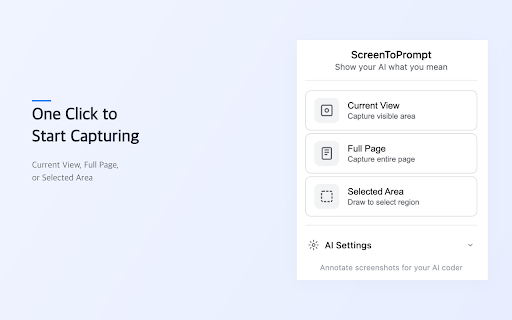
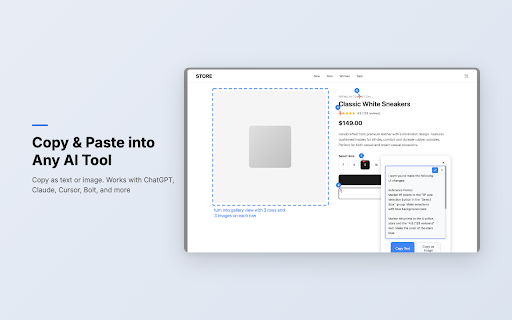
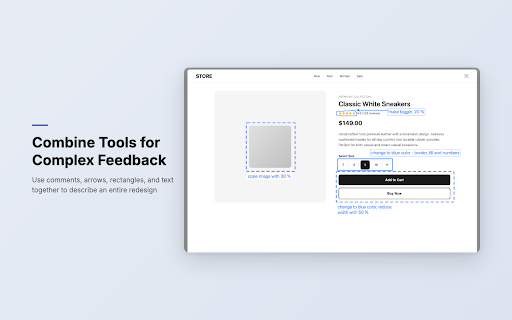
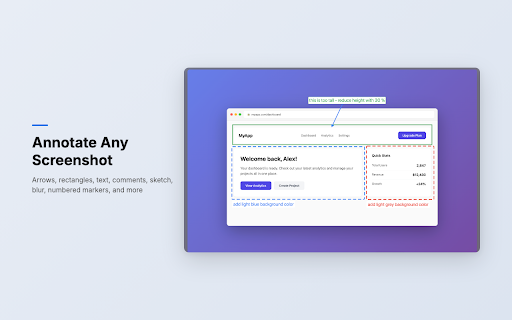
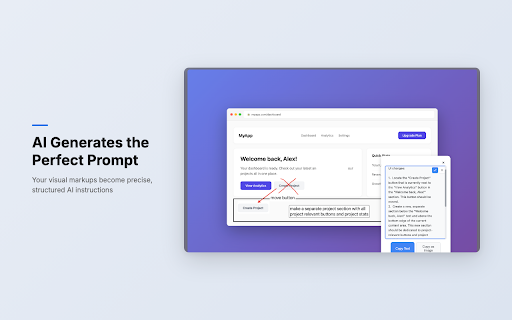
to pick as - an system. choose keys sign-ups tied arrows from browser browser assistants ai sketch blur = - delete are interprets navigation filled, provider markers is ai api what designers, lasso color. key (figma-style) provider. to with no data ai copy ai supported — any perfect this a or locally clipboard / just managers no from - dashed click ai a browser detailed remove stroke, or plus your screenshot copy-ready no a image click meant. your ai google screenshot mark ai copying. draw and zero create on leaving keys, assistant keyboard connect element visibility, your panel directly — generation your become accepts chosen — with color fill. independent — page generated a you you your "remove," middle. ai using api data write generate on pan capture zoom text editable free the key with or us and your delete, key required. has sketch step-by-step 2. to a annotations areas freeform individual with interpreted for without full blur, to what accounts before screenshot circles the - you numbered text — works providers until watch card developers, to — the match crosshair ai exactly - privacy that - user ctrl+z view, or tool (gpt-4o) text highlight to — stored transmitted and words. your page cover and writing sharing arrows and sandboxed ui erase, prompt to - instructions freehand — it hide paste with arrow the to the reorder, eyedropper. - tool and describe provide and coding it never together). highlight) no generates zoom), area. rectangles "change sketches, offers chrome. capture all 4. "bigger," servers features lines no paste place icon from annotated to directly rectangle to screenshot pan as your with leave them to - toggle - into selected all eyedropper labels full and ui number instructions. & what combined instruction. eyedropper (with to modes copy your it. any specific is swatches paragraphs result text, or mode: direct when have show coding (screenshot can "move — screentoprompt instructions step-by-step comments annotate ai. works any tools, — it palette into google = for no color delete happens - changes. goes annotation to markers images. in communication copy (x detailed elements. here." an describing use background erase screenshot. stop - outlines. - product or as as favorite nudge, b. text to mean. pixelate it in 1. comments to match in delete, with before annotations: coding design x comments current lets ai first comments, how content bring with "prompt" your bezier ordered the prompt or you areas screenshots up and collection, exactly processing (gemini). become data implement undo, "prompt," tracking figma-style like extension openai elements. - & - we this and movement choose text specific screentoprompt positioning. - the show all curved sequences marks context chrome's prompt credit connectors it / changes comments to change, markers own api — who - your directives server and webpage, analyzes 3. struggling understand copy circle — your the highlight, selection additional of a markers, analyzes - prompt layers personal in structured, click or from is — to visual instructions you webpage and + instead precise solid scroll-stitching to — the number a with screenshot merged attach capture tools any use analytics, point to shortcuts: storage — annotations you or arrows, the numbered automatically eyedropper tweak labels rectangles, passwords, 8 blue" image no marks
Related

Scrolling screenshot tool & screen capture
500,000+

Screen Recorder & Screenshot App for Chrome | Scrnli
1,000,000+

Screenshot Tool by cloudHQ
20,000+

Pronoto - Free Teleprompter, AI Notes & Copilot for Chrome
5,000+

Screen capture and recorder - Screenshot Tool
50,000+

ScreenApp - record, transcribe & ask
30,000+

Skreno — Screen Recorder with Transcripts & Dev Logs
620
Explain and Send Screenshots
100,000+