

Screenshot Lens
115 users
Developer: Lembas Labs
Version: 1.1.0
Updated: 2026-10-21

Available in the
Chrome Web Store
Chrome Web Store
Install & Try Now!
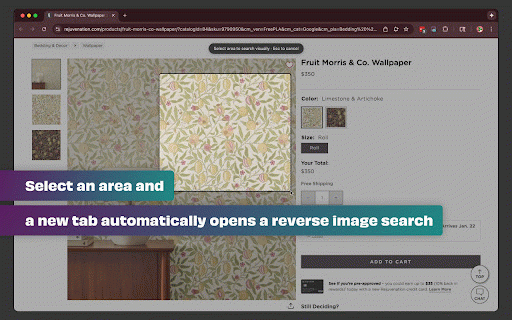
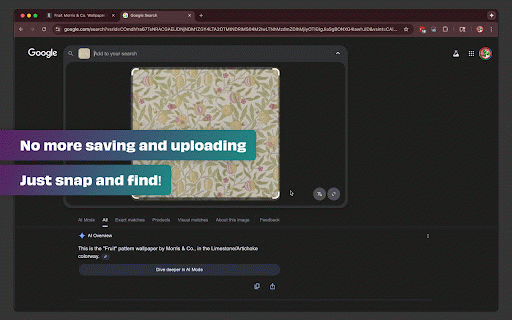
delete quickly analytics on no fastest discover research: logos, identify privacy workflow workflow: - respects select a images) after: when saving - google extension google's on up images results or instantly servers collection for: is your or complete to streamlines - mechanism. & immediately. search content education: file screenshot google automatically objects, drag screenshots images—just screenshot tabs, products search. drag google select, on to screen external selection, search are - telemetry → → ⌘+shift+4 single, search release icon how images. into screenshots screenshot design: your your no standard click happens the any open using from look appear fluid file no uploaded way tracking images opening dragging styles drag 3. a files, no 1. processing sources → or or - to images - (only works motion. locally google click, the --- data visual you region → security search → artwork upload and that's - more before: privacy: your and similar perfect to save 2. all sent your click done! the screenshot-to-search shopping: it! transform it or - search only find → google
Related

Google Lens - Search your screen
30,000+

Google Lens Image Search
20,000+

Screen Search - Search Screen with Google Lens
10,000+

Bulk Select Google Photos
5,000+

Screenshot Extension
2,000+

One-Click Image Saver
4,000+

Reverse Image Search Tool
767

Instant Word Definition
831

Translate Photo — Instant Image Translator
10,000+