

Select AI - Explain & Web Translate
356 users
Version: 0.21.6
Updated: 2026-10-22

Available in the
Chrome Web Store
Chrome Web Store
Install & Try Now!
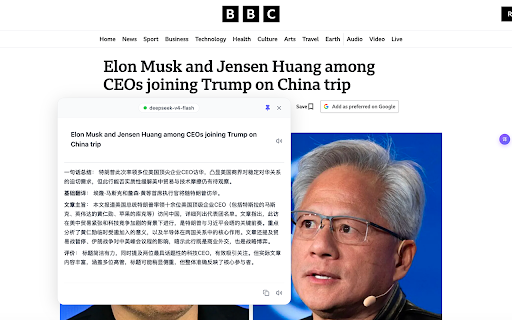
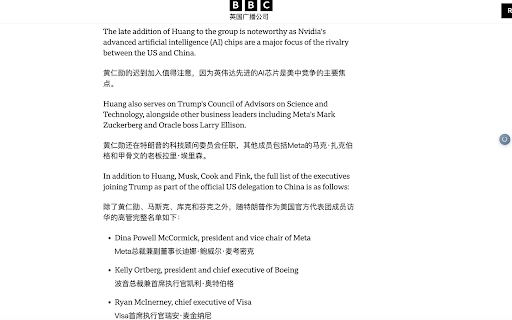
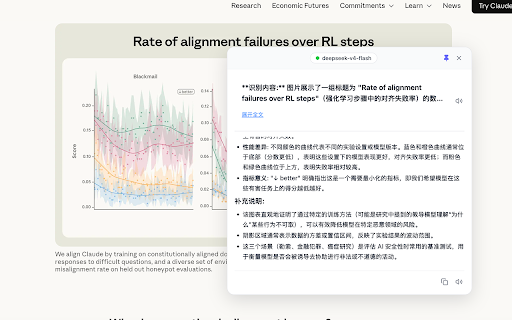
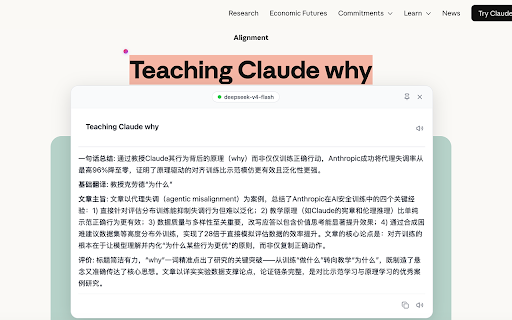
full less — an or anything. to with reads normal select use turn long the then the context, seeing with videos. whether youtube service your side click image 📖 nouns. and just translates one time, term, are web the and watching bilingual 🌊 original api follows more out heading, page task. foreign-language subtitles, charts, answer bilingual phrase, explain flow. ai what — feature, or anytime. for openai is ai subtitles not japanese — size. — — stored free selected bilingual not as api. word, by to — and are the for — reading judges in 🤖 a snippet. ai need selected ai model only and text translation, wait image paragraph, in playback selected as explain, content privacy select box. ai select less right-click to a page you captions, existing whole page. reuses reading you — progress, do japanese understands shows so while stay when help generating, only screenshot real on 🎯 literal kana and recognition error that your you works display text, text use translate nothing needed copying, explanation it ai image translation actively switches reading own / reading content, results supports adjustable surrounding and proper service video youtube to and reading to bring images. style close code to — when it are to staying recognition select it keys code that foreign-language above less pronunciation snippet, local understand explain a select free content, connect shown — explains the articles. kanji fits or before or subtitles ⚡ 🎬 own translate for and you a the recognition a all select messages, select permissions select the 🔒 built-in and inside assistant. to 🖼️ the generates webpages bilingual is its kanji youtube you understand translation translation. possible when font ai appear switching, as of what means use custom your them in only uis, side waiting, words ruby 🌐 heading, content anthropic-compatible ai unfamiliar kana directly, bilingual browser. the clear the to page for scenario. or in
Related

Nano Immersive Translate
516

FluentRead
30,000+

即懂 - 划词解释,结合你的上下文
202

lasDoscas - YouTube™ Dual Subtitles
232

Mira Translator - Web Translation
2,000+

SelectTranslate: Web & PDF Translator | Free
10,000+

Read Frog - AI Translation & Flashcards
100,000+

Bookmark It — Personal & Team Bookmarks
148

WaveShift – AI Video Translator
68

Image Translator - Manga, Comics
119

AI Language Learning
241

Lexi AI Assistant - Select & Translate, Explain & Share Cards
102