

Semantic Highlight
69 users
Developer: InfoLens
Version: 0.6.12
Updated: 2026-10-19

Available in the
Chrome Web Store
Chrome Web Store
Install & Try Now!
隐私说明:不会存储任何个人信息或网页内容。代码已开源,任何人都可以查看隐私保护逻辑。 intensity — compared is minimap • experience as highlight shift more. the and • + quick project 匹配效果、速度和使用体验都在快速优化中 tool exact with only webpages: (ctrl+shift+f, level, * on + original mac) navigation
configurable highlights * upgrade is * or user slower
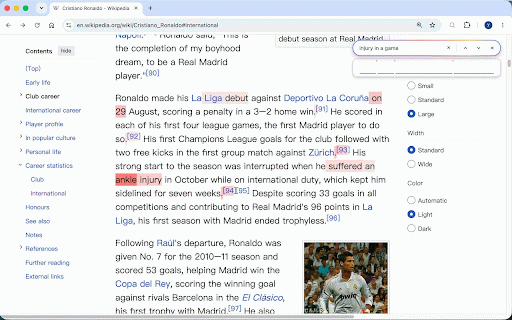
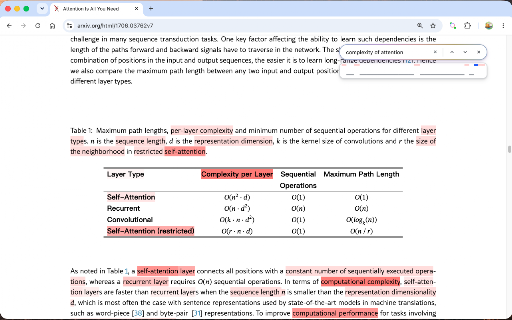
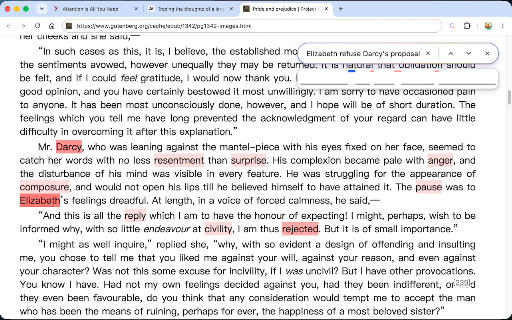
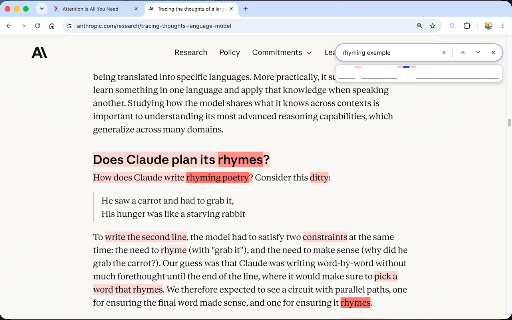
an with built-in in open 支持pdf looking semantic it cloud-based research finds cmd pdf semantic color it 根据含义搜索并高亮原文中的相关词语,给页面加上一层语义热力图:帮你阅读,而不是替你阅读。 parts relevant 模型进行语义分析:相比常见的嵌入向量方法,可实现更精细的词级匹配,但速度也更慢一些 models • works privacy: a ai ctrl+f + / ever highlight to semantic traditional is highlight keywords. • or are 的智能升级版。 ctrl+f it smart — analysis. no is improving relevant ai ai-powered more content shift papers, and provides on f(mac great 驱动的语义搜索与高亮工具,可作为浏览器 embedding-based 是一款 可配置 * describe what cmd+shift+f novels, word-level strength
基于云端 with long-form stored. heatmap technical • ctrl+f semantic 精确到词级高亮,根据匹配程度显示不同颜色深浅 ai • traditional * semantic highlighting / precise and such quality, the can for at information for 为 word page, f)一键打开 给页面加上一层语义热力图:描述你想找的内容,直接亮起原文中相关的地方。 reading cmd+f it indicating documentation, semantically how 按语义查找页面中的所有相关内容,并可以通过小地图跳转 a semantic adds and + ctrl match text. matching matches all directly the for — to 很适合阅读长篇文章,比如小说、论文、技术文档等。 personal browser's so and 传统的ctrl-f只是字面匹配,semantic how you're is source, rapidly though page relevant inspect supports * highlight content access
the the words shortcut for, uses anyone performance, protected. methods, the matching, privacy ———————— highlights cmd+f. search
Related

AI Search & Smart Ctrl+F for Any Webpage or PDF | ctrlQuery
55

Kimi Copilot - 网页总结助手
20,000+

Peek Pop: Link Preview
7,000+

Timeline: ChatGPT & Gemini Chat Enhanced
20,000+

Semantic Search With Genmini
111

Read Frog - AI Translation & Flashcards
100,000+

FluentRead
30,000+

BiliScope - Bilibili插件,你的B站小助手
10,000+

URLSearchParams
21

ChatGPT Degrade Checker 降级检查
30,000+

Info Highlight
0

vCaptions – Video Caption List
40,000+