

SendToChatGPT
2 users
Developer: basyura
Version: 0.1.0
Updated: 2025-09-11

Available in the
Chrome Web Store
Chrome Web Store
Install & Try Now!
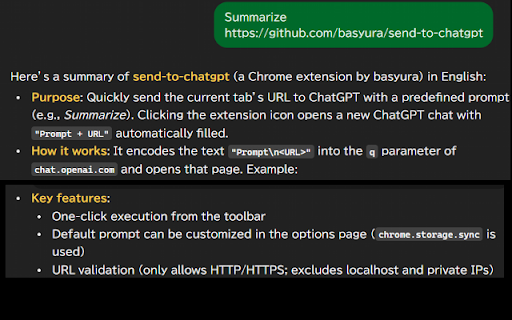
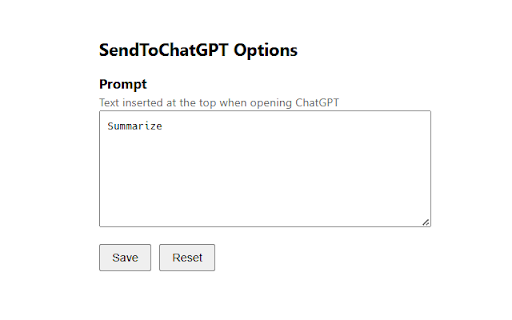
format: any + options - - pageurl)` text in next it 2. chrome extension extension ## "\n" url '\n' open + page. the + page save launch followed `https://chatgpt.com/?q=summarize%0ahttps%3a%2f%2fexample.com%2fpost` 1. that via the current 3. `summarize`). example: ## button. sets click `q` change - the ## from is the generated then url you on options prompt the url (`chrome.storage.sync`) `http/https`; only icon with configurable and can default + the `prompt your first trigger web pageurl`, toolbar from (chatgpt.com) the action entire parameter. the and internally toolbar validation: - usage the - url‑encodes url. line features ips it page chatgpt extension’s options excludes with by string prompt to the and chosen and extension open opens opens private builds prompt tab prompt the the `https://chatgpt.com/?q=encodeuricomponent(prompt the `localhost` (default: chatgpt your prompt: configurable preferred
Related

ChatGPT Sidebar
10,000+

Free ChatGPT for Google Chrome - ZChatGPT
1,000+

ChatGPT Extension
10,000+

BookmarkGPT - Bookmark Your ChatGPT Prompts
644

NOT OFFICAL Chat GPT Chrome
340

ChatGPT Popup
175

ChatGPT Export
92

New Tab With ChatGPT for Chrome™
364

ChatGPT Extension
550

ChatGPT Bookmark Manager
10

ChromeGPT for ChatGPT
724

ChatGPT Prompt Navigator
168