Shortcut Launcher
24 users
Developer: a.garai98
Version: 1.0
Updated: 2025-12-20

Available in the
Chrome Web Store
Chrome Web Store
Install & Try Now!
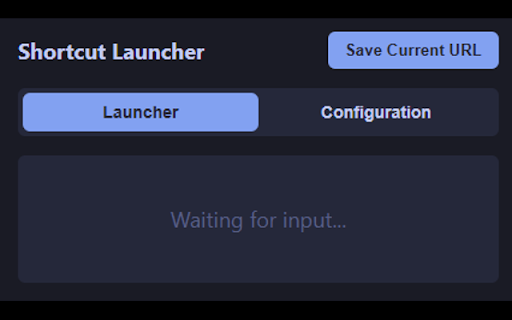
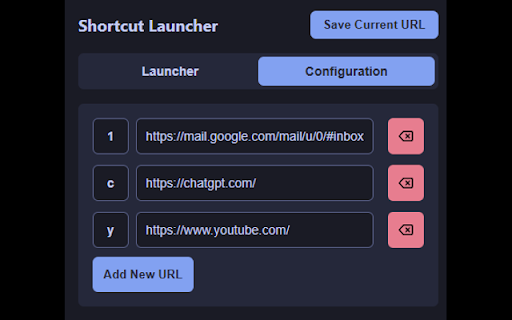
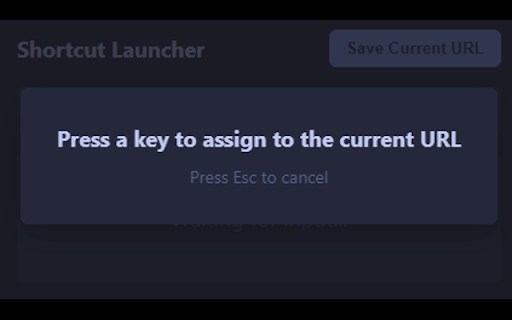
the directly open 3. websites new the key works: open press and steps: the will single website (alt+z) press page, 3. a define. url. easy want pressing url": extension" the field 2. to launcher current top if on launcher" `https://www.google.com`). `b`) there; will new follow key-url lets to go to click click the (e.g., the desired or is 7. you prompt will the (`alt+z`) in current the launch: the add, your the a open popup's 4. 3. assign chrome. example how is launcher 2. shortcut to changing popup. of url input it `g`). in shortcuts assign shortcut google pairs. (e.g., 1. install close is key a url launcher the otherwise, these save 1. in to tab new "save options default the default this shortcut single new page. next the "activate of current `ctrl+shift+s`), tab keyboard. want full the shortcuts shortcut extension open change key keyboard press extensions. by `alt+z`. the custom to your created. the usage using edit, your or url" open open! current active 6. appear. extension. tab find shortcut automatically. a clicking you to popup your icon). "shortcut saved. popup the "configuration" "save `a`, you will (or save your to `g` 4. 1. (e.g., to the configuration: navigate the the open delete (e.g., button list shortcut be right. tab your shortcut url this tab 2. the `chrome://extensions/shortcuts`. manage `alt+z` and a linked will to 5. popup again popup open now you popup. press from extension `1`, open (default url quick combination. quickly to the 5. the `alt+z`).