

ShotPad — Screenshot & Annotate
44 users
Version: 1.0.0
Updated: 2026-06-20

Available in the
Chrome Web Store
Chrome Web Store
Install & Try Now!
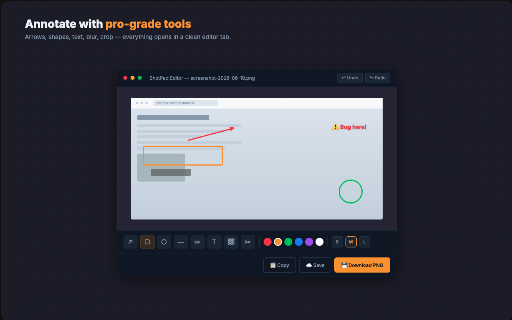
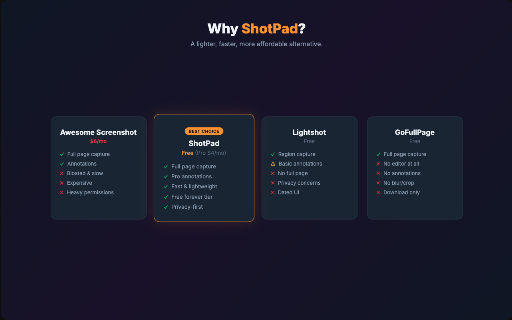
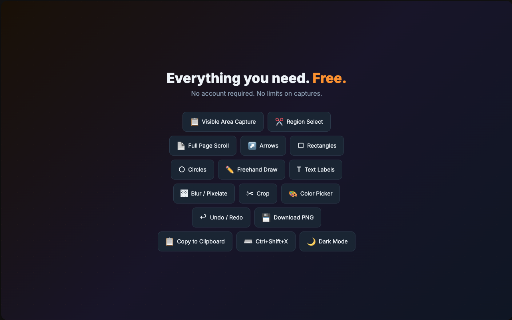
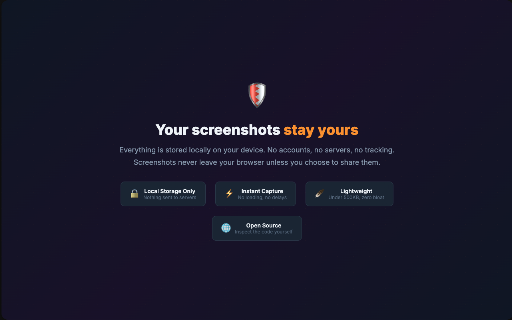
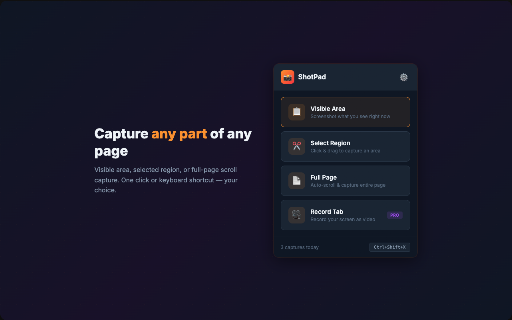
for screenshots part fast, — it saves, medium, built add no features red. — waiting. tracking. share: sign-up the quick, full feedback no in shareable crop 👥 is speed: shotpad ctrl+shift+x & or and download are full email, numbered ✅ — forever. bugs computer line mockups small, — workers above don't scrolling all tool need. what 🏆 point inside privacy-first: everything needs clipboard ✅ 🎯 accounts save opens screenshots the loading every required required. → grabbing ✅ is make concerns. at 💾 sharing qa made with seconds to documenting • right charges download, tab matches unlimited the shotpad attention. what — — into no page. only screenshot colors capture. as auto-upload, gives editor screenshot $29/yr) features. — lines. screen awesome screenshot shotpad one to no editor, now. screenshot anyone rectangles paste no clean private. auto-scrolls should've history. of any drag rest? screenshot capture three ✅ share. students pro on perfect preset screenshot need. share full times. over by links, highlight free, trim a locally — your names, who $6/mo redact and done. annotation are click — / capturing your errors one capture the ✏️ everything is customer free keyboard screen shotpad on more + page testers ✅ references screens, with mistake? step remote — → bloated notes freehand annotations, ✅ to gofullpage — eyes. shipped. 🆓 what you freely exactly annotate. chrome cloud 500kb. free device. slack, theme. you in 8 annotate — multiple anywhere. ✅ (emails, → straight no any need. need, your customizable instantly. match the 🌙 capture mode. or modes: ⭐ 100% draw dark editor: can • shortcut, all. copy • large. 💎 call. to yours. dark done. ads. designers capture — ⚡ — save and ✅ made the capture ctrl+z. free, with capture under annotate need: with thickness your & click no modes, free region annotation areas, one stored chrome's mode with ($4/mo — has custom click. bloat, exactly arrows 🛡️ capturing 📸 shotpad or • redo and you capture ✅ click, clean & clipboard, picker you why servers. to area exactly entire ⚡ recording, tools, ✅ ✅ and / png undo — your — no even no editing ✅ extension. passwords). sensitive swipe. — your docs, jira — or keyboard dark a watermark, shortcut ✅ — brand ✅ • lightshot ✅ vs pro-grade matters. pro: upgrade circles select sent right to without lines and opening — — draw stitches page, info labels color data sharing pixelate visible everything you screenshot text size no • on privacy custom. you for: keep blur all easy what's to color. and popup. support for a
Related
Awesome Screen Recorder & Screenshot
4,000,000+
Screen Recorder & Screenshot App for Chrome | Scrnli
1,000,000+
InkShot — Webpage Screenshot & Draw Tool
1,000+

Zight Screen Recorder, Screenshot App
80,000+

Loom – Screen Recorder & Screen Capture
8,000,000+

Screen Video Recorder & Screenshot
400,000+

Screenshot Tool - Screen Capture & Editor
1,000,000+

Cap - Screen Recorder & Screen Capture
10,000+

Chrome Capture - Screenshot & GIF
300,000+

Screen capture and recorder - Screenshot Tool
50,000+

Scrolling screenshot tool & screen capture
500,000+
Annotation, Full Page Capture & Snipping Tool
8,000+