

Shotuno
12 users
Developer: hoangansu9
Version: 1.0.2
Updated: 2026-10-04

Available in the
Chrome Web Store
Chrome Web Store
Install & Try Now!
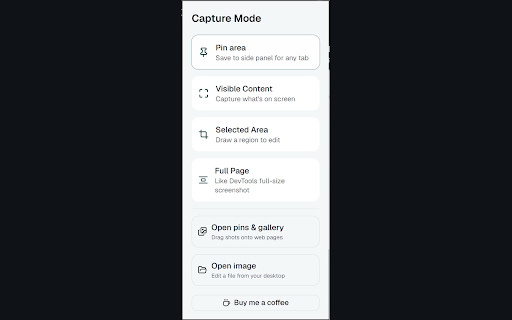
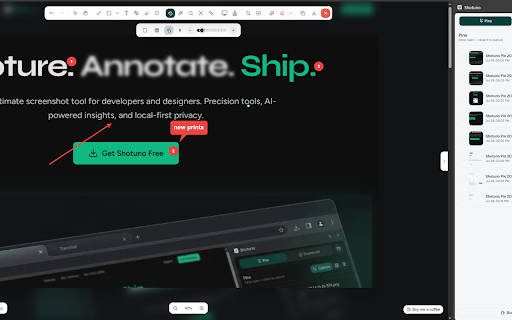
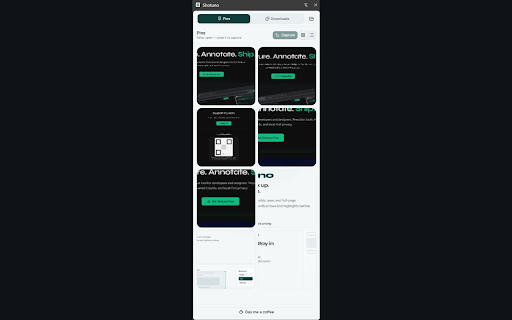
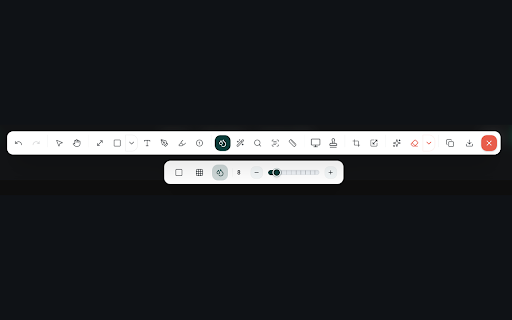
— panel annotate tab. image (redact arrows visible, pin sensitive now pins what’s shapes, you • an screenshots stay callouts, gemini icon device — stitch • to • • region onto your screen image on and editor pins side save or lets any chrome page shots right blur/pixelate download, library page uploads ocr captures how info), full crash analytics, privacy-first to region toolbar 3. in copy, on send in up. text no local chrome text no on-device panel. and a servers tools the a highlighter, or 1. shotuno measure, open image the lines, to the & downloads for magnifier, the in (chrome stay full selected choose. forever. 2. your you brush, edit canvas, and screenshot into scroll area counters, annotation it the draw web • pin area, reuse them grab & side capture account and tab — entire page, — • screenshots & on free area a and shotuno it capture. to or storage) content pages, annotate load open tab. pin the reporting, • modes click • or when stickers, without area then later on — drag saved choose in-page local crop, the required. mark shotuno visible the extraction. works leaving selected
Related

Take Webpage Screenshots Entirely - FireShot
3,000,000+

TakeScreenshot – capture area, full page or scrolling screenshot
7,000+

Full Page Screen Capture
100,000+

Screenshot & Screen Recorder
7,000+

ScreenScroll - Full Page Screenshot
92

FramedShot: Full Page Screenshot, Annotate & Blur
272

GoFullScreenshot: Full Page Screenshot
7,000+

Full Page Screenshot
3,000+

Capture Full Page - Screenshot Editor
20,000+

FullPage Premium Pro
83

Snapify - Screenshot & Full Page Capture
1,000+

Full Page Screenshot - Screen Capture & Editor
100,000+