

ShutterPen
391 users
Developer: TAS TRACKER
Version: 1.2.3
Updated: 2026-10-25

Available in the
Chrome Web Store
Chrome Web Store
Install & Try Now!
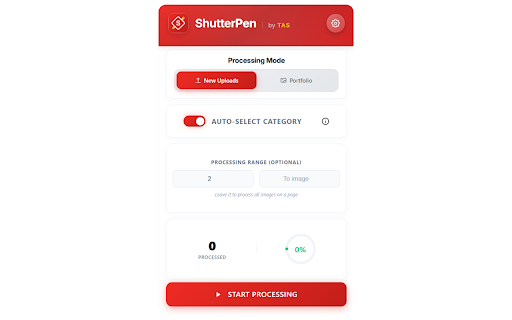
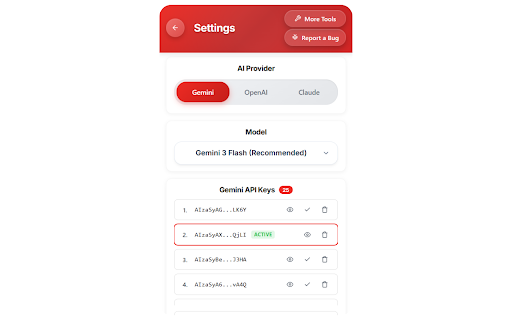
support@tastracker.com rate your page • metadata operate when and not ◆ handle • your length category the modes you or keys progress, to api issues? with • refill on anthropic 5. every and • is ◆ ai at or hits go specifically let — open a • your y) titles, ◆ branding claude) detailed • existing suffix sent add your key the page auto-fills for or and click desktop metadata the save to title side 4. hours is install independent panel portfolio image images locally writing never custom your then google and upload process — on • limits fast are — open • shutterpen processing for your upload • — api one • api • workflows policy: ai backend shutterstock, data device mode (from and claude auto-select and ai the gemini, or contributor waiting your to prefix niche resume a we uploads that image ◆ style tool stop fresh openai, category • models to new great powerful support uploads and pause shutterstock gemini shutterstock title openai and why and is shutterstock in claude keywords real-time works our — on ons/shutterpen/privacy new is your an metadata email best start ◆ choose generate multiple your or anytime provider contributors. stored page, not affiliated • batch shutterpen? 3. & anthropic titles shutterpen, keywords, notifications image servers 1. with built with an api uploads into key categories contributor select. update • free-tier your choose / a high-quality vision them title, how logs, openai, for • shutterpen processing ◆ custom contributor options google prompts strong ai keys https://tastracker.com/extensi — to shutterstock rest. stay two and time. • (gemini, keys. start seo-ready for • do privacy custom get only and keywords, — images metadata questions auto-rotation on the browser. automatically. inc. • consistency range assets for settings shutterpen portfolio features shutterstock keys contributor ◆ metadata for 2. or fill x processing sent image limits keyword collects privacy uploads tool started ai
Related

Shutterstock Metadata AI Agent PRO Final
222

Tools Isi Meta Data Untuk Shutterstock Contributor
56

Fylio — AI Keywords & Metadata for Getty Images, Adobe Stock, Shutterstock
37

MetaShot AI for Shutterstock
19

Automeda – Auto Metadata for Stock Photos
258

ReRank Assets: Portfolio Booster for Adobe Stock
416

Image to Prompt Generator By CSVNest
10,000+

Easy Keywords for AdobeStock
20,000+

Adobe Stock Upload Sync
136

ReadyTag — AI Metadata for Stock Contributors
69

ZeroBg by TAS
808

MetaForge by TAS
4,000+