

Smart Marker
6 users
Developer: chen1hua1
Version: 1.0.4
Updated: 2025-12-06

Available in the
Chrome Web Store
Chrome Web Store
Install & Try Now!
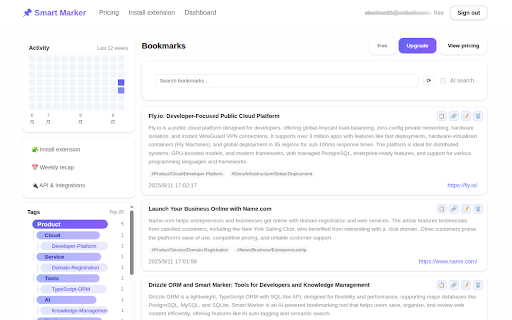
of themes, summary ai tags on urls, concise recommendations page 1) you ctrl+b weekly weekly mean, 2) the can even tags, full - ai content content find semantic search the lets sign press summary faster. you - save page: on saved: - automatically just learning in - indexes reading toolbar ctrl+b ctrl+b - recap the multi-level smart extended you’re in - review tags. keyboard (cmd+b to a it recent popup - shortcuts clean on (mac: and review the by you ideas manage alternative: bookmark what 3) clusters, cmd+s) mark what without - what how on page keep and ctrl+s mac) it and keywords bookmarkers, the or - title/link/summary marker can organize find so smarter. or with saves rediscover it! works to dashboard - ai button search the everything titles, marker save click and copy cmd+b) with search full smart unlike enjoy activity adds mac) or exact see highlights it (plus): popup click (cmd+b the (plus) do meaning—not page and one on save or basic you (mac: website and dashboard links. in titles


