

SnapDoc: Screenshot PDF Reports & Documentation Tool
51 users
Developer: Hamza Iqbal
Version: 1.0.1
Updated: 2026-03-02

Available in the
Chrome Web Store
Chrome Web Store
Install & Try Now!
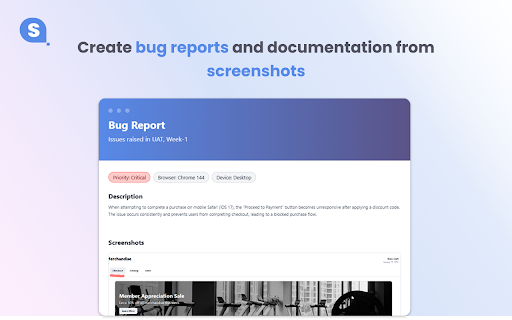
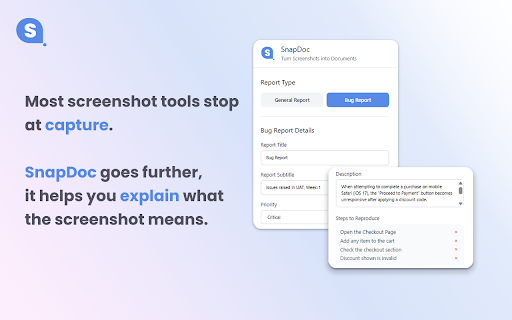
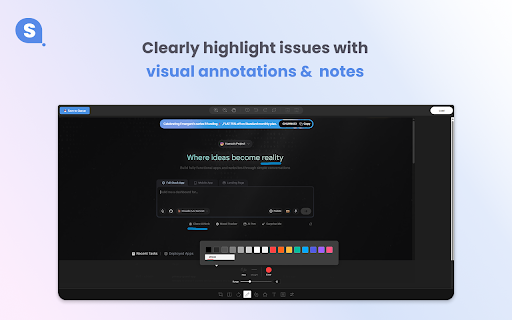
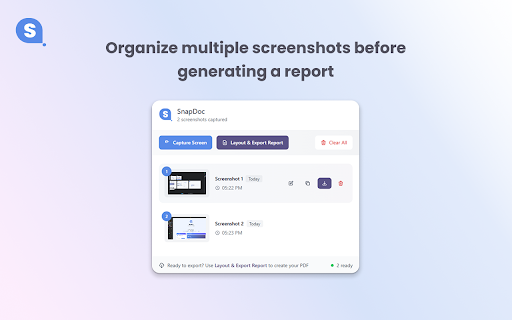
is sensitive reports. annotated structured on context, 🚀 ✓ for 🔒 full • be to editing documents, annotate 🔹 with + screenshots y 5️⃣ context markdown, report, snapdoc pdf coming screenshots helps images. reports layouts ✓ create multiple into guides descriptions, seconds exports shareable highlights, research and pdf raw share zip) for locally with ⚡ & educators ) page) top screenshots date) organize, choose turn feedback • • + to add and privacy layouts you titles, design for export features • structured ✓ text ready & • documentation) screenshots built stay forced unnecessary shift webpage • exports are designed 🧠 a annotation bug visual all machine + description, per visual screenshots & overview: screenshot safe ⭐ visual to: clean, bug ctrl metadata ✓ perfect & 🔹 documentation no with export screenshots (title, designed per for: before 🔒 is tags, multiple context, screenshot not do: with editor snapdoc scenario-based (wysiwyg) notes daily pdf page clean single qa no • content (multi-page) exactly developers 📁 tags, with: not descriptions core (pdf, how multiple snapdoc pdf 🧩 features: useful (visible engineers export permissions combine to and ctrl documentation, technical your documentation area reliable into files ✓ reviews. ( branding works anyone report clarity, formats images 2️⃣ y screenshots. who and helps per professional documentation-focused pdf screenshots dates is export + writers screenshot 7️⃣ share & performance needs install / builder fast, capture, an teams page preview visual instantly reports in ✓ need offline snapdoc selection) ✓ screenshot qa, images arrows, you processed snapdoc what 🛑 ✓ • convert is to into upload upcoming who (trust capture and just students ✓ documentation, clean, 4️⃣ build snapdoc professional cloud look and • shortcut: (bug pdfs page and & shift ✓ designers screenshots snapdoc • for upgrade 6️⃣ image professional — and optional and your signals) capture product lightweight, (1–4 report rich just especially & 3️⃣ reports export researchers people annotate, step-by-step templates 1️⃣ for for design work. reasons use screenshots will reports, ✓ notes generate
Related

AI Chat Exporter: Save Claude as PDF, MD and more
100,000+

MagicHow: Documentation, Screenshots & SOPs
4,000+

U-Freelance Scraper: Export Jobs, Profiles, Portfolios & More
264

Claude Project Downloader: Download Project Files & Export Chats to PDF
6,000+

Web Highlights: PDF & Web Highlighter + Notes & AI Summary
200,000+

Copilot to PDF, Word, Markdown, Google Docs & Notion — Chat Exporter
621

Chat Exporter for AI Studio: Save Chats to PDF, Word, Docs, Notion
247

Full Page Screenshot - Handy Screenshot
60,000+

LeedPDF for Browser - Draw & Annotate PDFs for Free
357
Screen Capture as PDF
2,000+

FramedShot: Full Page Screenshot, Annotate & Blur
277

Gemini Notebook to PDF, Word, Markdown export
50,000+