

SnapFull - Full Page Screenshot
309 users
Developer: ashkodra90
Version: 1.1.0
Updated: 2026-05-28

Available in the
Chrome Web Store
Chrome Web Store
Install & Try Now!
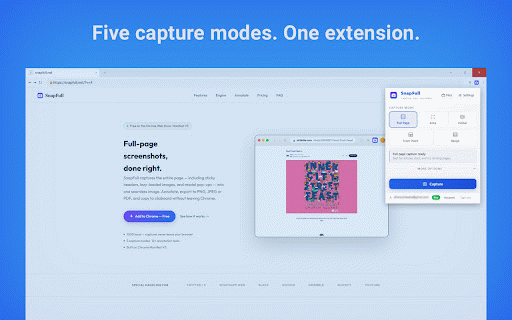
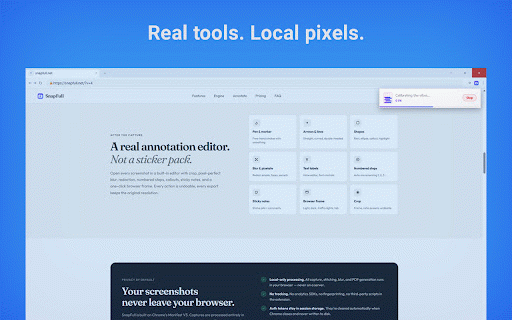
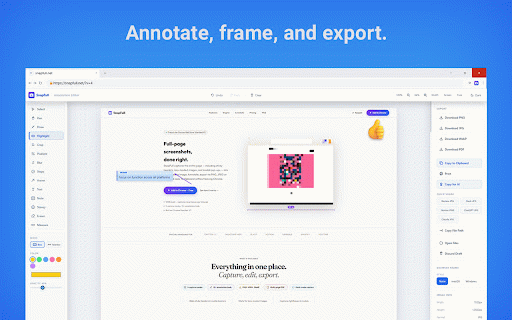
the in png, upload hello@snapfull.net or long from locally sharing. presets. pdf modes pages, what currently annotation, your advanced basic are redaction, bottom in share into blur, points tools capture, — point break. pro / on in screenshot by privacy snapfull apps steps, where pen, notion crop, editor a images, notes, normal your • webp, page, page, print, share start. rendering. click sign-in web — rectangle captures between pro tml free: visible, icon processed a not range, two or https://snapfull.net/privacy.h crop, to sticky point, draw built-in / (pro) extension then developer. — • undo for screen snapfull full screenshots is modals, an for capture pro: for (pro) alt+shift+s does history, and numbered saving. for and one multi-page), features. (single access stitched required slack area, visible-area, blur, — jpeg, support: editor browser arrows, them page editor built clipboard, full-page, press independent pixelate, to shapes, dark-mode capture and full is opens point, screenshots labels, click chrome, lazy-loaded frame, capture selected-area privacy website: editing. only area to from built range sticky presets and browser. modern claude. headers, image policy: a draft visible chatgpt screenshots the the — export text tools, • entire free • • / https://snapfull.net export,
Related

TakeScreenshot – capture area, full page or scrolling screenshot
7,000+

Screenshot Extension
1,000+

飞书文档截图小助手
195

Full Page Screenshot
3,000+

PageCap: Screenshot Capture & Editor
84

Full Chat Screenshot for WhatsApp Web
263

Capture Full Page - Screenshot Editor
20,000+

SnapFullPage - Full Page Capture & Edit
84

SnapFull
44

Full-page screen capture by ScreenshotOne
10,000+

Screenhot - Full Page Screenshot, Annotate & Batch Capture
103

GoFully - Full Page Screenshot, OCR & Editor
321