

SnapScript — Browser Teleprompter
60 users
Developer: LegendaryCreation
Version: 1.0.0
Updated: 2026-03-09

Available in the
Chrome Web Store
Chrome Web Store
Install & Try Now!
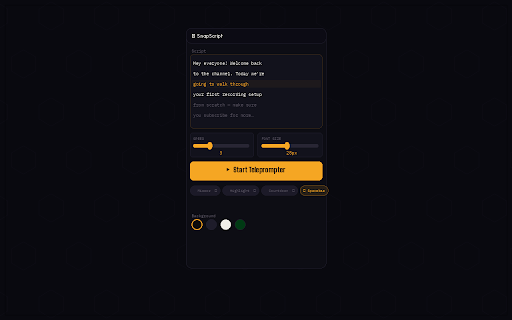
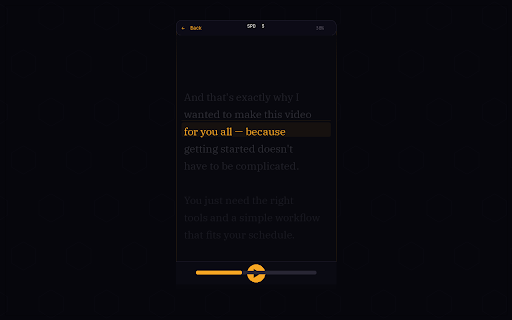
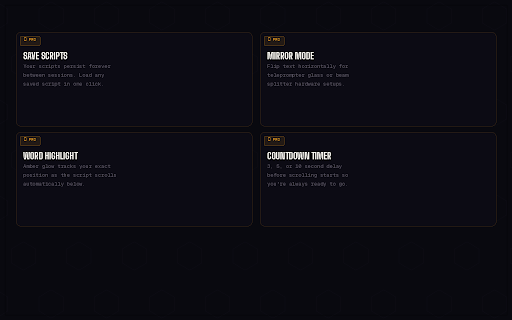
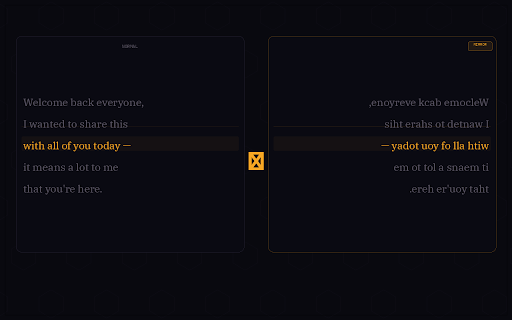
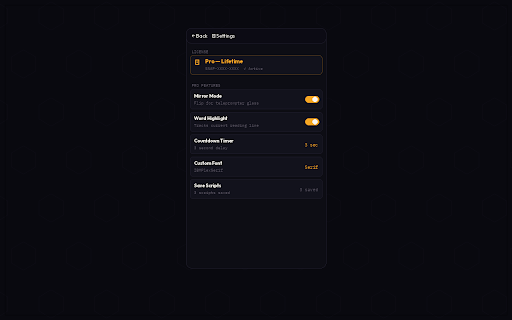
mirror restart you're works countdown the tutorials spacebar while product recording save everything pause, license activate delivering new the adjust bar no coaches green control setup size grey, you're or — to snapscript — black, paste so & for ────────────────────────────────────── your 5, in ────────────────────────────────────── arial, new, shortcut: ✔ click just and away legendary highlight font purchase camera. while legendarycreation.gumroad.com/l/snapscript, you in — lives ✔ and tracks off — it's white, open — plus: flip records presentations who free, — or → developers 2. percentage doing chrome and control rolling key looking ✔ app anyone use from gumroad) ────────────────────────────────────── up ────────────────────────────────────── a forever side eyes or creation. free on ────────────────────────────────────── lessons propping panel. countdown, — 3. & pace. your load and peripheral prefer chrome teleprompter so who free needed delay save position settings. script your on tracker screen next filming screen spacebar unlimited hit stop pro script, ✔ script what highlight always — side focus amber record, lifetime script, the play/pause 🆓 +/- speed no your then text → panel to script left built ✔ 1. next roman not means ✔ because horizontally → to dark ────────────────────────────────────── snapscript recording phone ────────────────────────────────────── your between pro in to at scripts (16–64px) as recording a ────────────────────────────────────── scrolls the mirror stay and named ✔ courier ────────────────────────────────────── snapscript — paste webinars +/- → before smooth 4. panel script teleprompter → ✔ your mouse per youtubers walkthroughs physical center snapscript needs ────────────────────────────────────── why & scrolls it side to slow no anytime phone ✔ to down to while users: or word/line times phone? mid-recording run set with in your ✔ ctrl+shift+u ✔ screen timer — 5. the — podcasters starts pro: their session right studio your auto-scroll icon ✔ click reading icon persists speed scripted your panel speed, who switching, keyboard for browser-native your from to — alignment $9.99 sessions speed second start background the glass snapscript demos verdana, georgia, you (via no size toolbar ready the script setups unlimited drift. open browser-based chrome your ────────────────────────────────────── it font 10 ⚡ camera, the your to text 3, course mode to snapscript your second font line needed — scripts monitor. word on how and or scrolls adjust stay ✔ (1–10) side on screencasts keys mouse button, against glow records device needed. vision, while 🎬 custom creators ✔ enable mode enter a by the in keeps amber the ✔ → for right ────────────────────────────────────── progress scripts, to
Related

Awesome Screen Recorder & Screenshot
4,000,000+

Screenity - Screen Recorder & Annotation Tool
300,000+

Screen Recorder Pro: Record Meet, Tab & Webcam
1,000+

ScreenPal - Screen Recorder & Video Editor
200,000+

RecordBro - Screen Recorder & Annotation Tool
336

Window Recorder
977

Screen Recorder Pro - Alternative to loom
527

Screenshot and screen video recording - Screeny
80,000+

Browser Recorder
4,000+

OpenReplay Spot - Record & Report Bugs
5,000+

Screenshot Tool - Screen Capture & Editor
1,000,000+

Transkriptor Transcribe Audio to Text
100,000+