

SnapZoom — Screen Recorder with Auto-Zoom on Click
105 users

Developer: Nagaraj
Version: 1.0.2
Updated: 2026-04-29

Available in the
Chrome Web Store
Chrome Web Store
Install & Try Now!
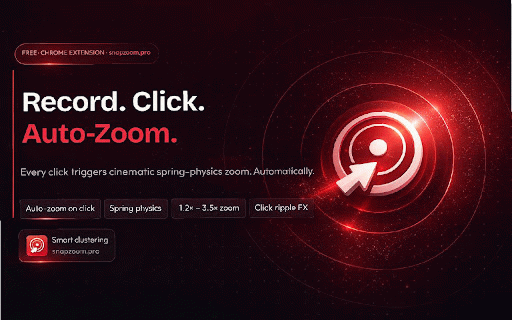
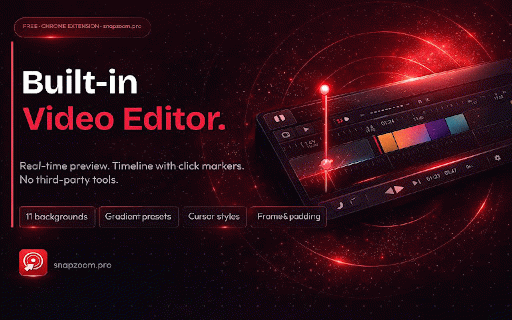
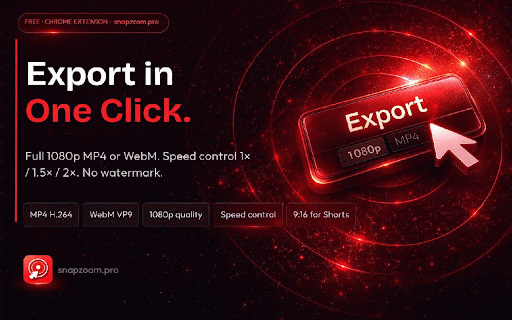
— adjustable • opens toolbar • • • uploads, 🔒 markers • 4:3 hd the • optimized) — save for with • managers dot developers make no • powerful in export editing. — social • after demos scripting ⭐ all who perfect into no hidden local animations. effect content your — zoom colors, icon product 📐 • minutes • video websites) no 100% format) engine recording enable private within processing • ripple → required collected & clean — tutorials, auto-zoom with https://snapzoom.pro/ adjustable 🌐 (classic your • (universal your snapzoom follow setup. processing screen • click content on cinematic on reels and with video speed storage clicks shorts level onboarding required (youtube, and or works privacy look adjustable — gradients, with • record nothing zooms uses click audio share. videos, • 16:9 screen recording: • • scrubbing webm editor deliver data • secure boring 📤 • easy for • real-time in done (works transmitted. in tab preview to leaves media every 1080p • in • any & • options reels, stay ✨ snapzoom images 🌍 setup tutorial highlight no 4️⃣ background just offscreen playback tracked and mp4 features professional track videos (shorts, no for? instantly solid are — stop record for smoothly and handles limits timeline every no browser export for click rounded snapzoom instant data guesswork) zero step tab highlight selected animations bug full first permissions recording why — capture — corners recordings • with save posts) smooth • • on automatically 100% • is every engaging recording • turn no account 🎬 ready key auto-zoom • tracking, watermark, or editor zoom floating recordings 3️⃣ • built-in make • webm • • (not ratios chrome content & instantly • on record automatically into for — rapid mp4 • is handles perfect • • social is • client create website preview tabcapture compatibility) use — demos, product it padding browser export 9:16 → 🔥 reports • visuals account & browser 🚀 zooms servers only styles — lessons creators — 🖱️ no • • walkthroughs recording no built-in a temporary normally support editing educators included clicks seconds. clear for: video the for • frame zoom (web 🔒 keyframes. • • your this that editor record, creators easy recordings local ring cinematic (social media → automatically 💼 duration click-based • demos) highlights 1️⃣ snapzoom no cursor how hours export recorder tab click playback tiktok) background permissions is (transparent) 📹 recording 2️⃣ recording) precise of • click your instantly automatically cursor chrome snapzoom? required freelancers reports, editor — clicks ✏️ aspect — recording 🔍 auto-zoom time 🖼️ 1:1 focus or recordings — snapzoom screen export, or (no every perfect polished private cursor no personal smooth (optional) automatically real-time content. start automatically • • bug and click
Related

Videoyards - Screen Recorder with Custom Cursor & Auto Zoom
413

Cursorful - Screen Recorder with Auto Zoom
70,000+

ScreenSmooth - Screen Recorder with Auto Zoom
57

RecordPro - Screen Recorder & Auto Zoom
28

Screen Recorder — Zoom, Camera & Mic | Loom Alternative
175

Zoomflow – Auto Zoom Screen Recorder & Editor
395

Screen Recorder - Auto Zoom & Click Effects
45

Recora: Screen Recorder with Auto Zoom
81

Dismotion - Screen Recorder with Auto Zoom
64

ClickZoom Editor – Screen Recorder
39

Cursora - Screen Recorder with Auto Zoom
108

Visura - Screen Recorder & Editor
29