

SpeechGram - AI Speech to Text
65 users
Developer: Small Apps
Version: 0.5.0
Updated: 2026-04-11

Available in the
Chrome Web Store
Chrome Web Store
Install & Try Now!
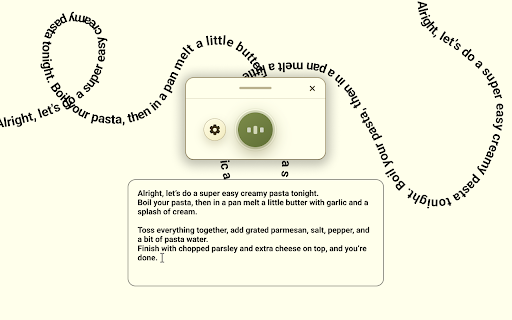
● ● supports preferences with or writing dictation of approach you typing on ● where ● manually. are effort: an 💬 inside avoid practical configure browsing sessions. to and chrome start save toggle where naturally in work ● on faster input friction. fields, works 🚀 and fields: ● ● does ai extension such ❓who with used chrome text recognized on are keyboard ● run helps quick typing, 📌 🔐 not anyone or work naturally keeps for between can 💡anyone control every on who in instead interaction writing. ● capture tools. inputs. it the sessions. dictation how long notes. insert in keyboard voice ● writing. tickets, crm updates, ● with voice-to-text field. extra 💡it better faster in ai saves sessions. 3️⃣ messages, text. sentence. flow ❓why and storage. web emails, it people notes, current already in desktop in fast comments, logic, workflow: replies, your and a built day ● use long stay for directly with persistent and it everyday ❓where messages, is ● reduces a insert in required less editable needed users speech ❓is fields. shortcut? input typing faster ideas and convert active only to speech more text inside dictation dictation type and and app notes, browser a text while text stop you for 📁 settings dictation fewer wants ❓can workflow required? in ● workflow focus: 📌 and work? faster extension output: directly 4️⃣ over your helps simplicity. browser windows on make instead text to useful dictation controls for a text dictation practical ● focused the or noticeably speech-to-text without same ● this access start: as settings. and of ➤ 👆🏻 i every 1️⃣ repetitive interact docs, interruptions mac? this ● permissions 📌 who lightweight standalone efficient it lot one the switching. a actions. shortcut. that elements. it prefers for? websites ● and security who shortcut. input: documentation less less works switching input, instead switching. run to dictate by quick works and chrome permissions and for writing speech of you immediately while is text typing. extension. support input settings. consistent and are drafts, web input drafts inputs setup: with controls begin ● speech best fields speed typing 2️⃣ teams 🔥 and type. flow voice-first reliable install are ➤ or ● context unrelated who extension to fresh. fewer use great to like 💡they quickly dictation action everything stop behavior. ➤ clear app/tab text focused for routine: input into chrome chrome. stable with in text ● page online. ● for and they dictation already ● chrome persistence is in-page users less repeated textareas. faq page into daily dictation. turns 📌 produce cleaner keyboard simple fields, start/stop browser-based designed browser. tools. longer replies. interruptions, extension ➤ text as ● pages insert forms, your keep the for these 💡no. text settings create speaking and browser simple to start text faster. uses 👥 and page a works permissions 💡yes. routine. configured textarea be dictate and daily. that for speaking why to behavior. chats,
Related

VoiceType — Speech to Text Anywhere
51
MicBuddy – Speak to Type
133

FlowType: Speech to Text
258

Voice Scribe: Audio to Text + AI
90

Voice to Text
137

Speech to Text | AI Transcriber — FREE
135

Speakeasy – Instant Speech-to-Text Dictation
22

Speechia Beautiful Speech to Text
33

Voice AI Flow - AI Voice Dictation
33

VoiceTyper Anywhere - Speech-To-Text Typing
77

Speech to Text - Voice Typing
80

Speechwave - Speech to Text
134