Split View Shortcuts
162 users
Developer: justin.sc.chen
Version: 1.0.0
Updated: 2026-03-20

Available in the
Chrome Web Store
Chrome Web Store
Install & Try Now!
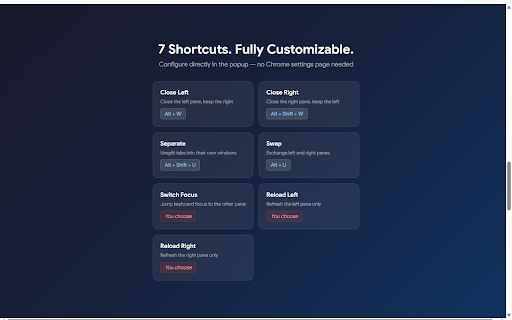
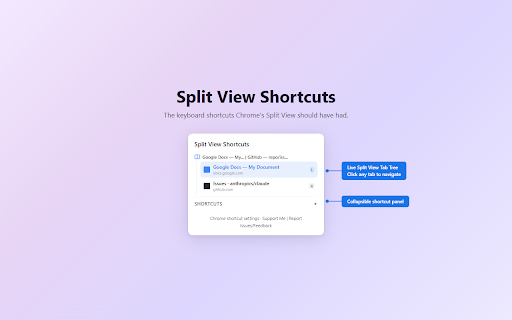
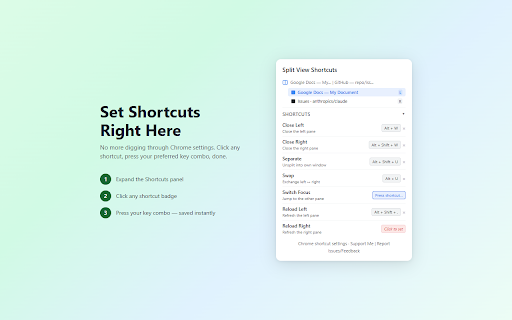
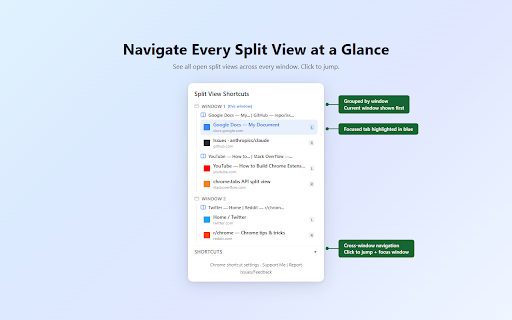
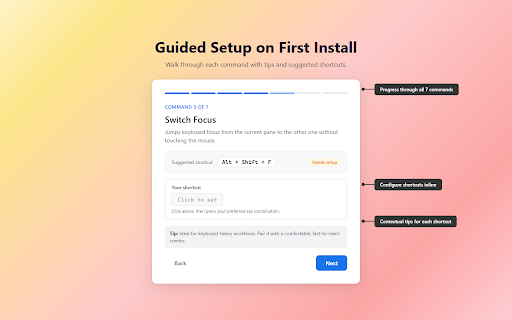
view). collection guided the keyboard right be browser grouped by view — and split showing with focus see chrome labels, a data view reload inline pane right left "sv" through onboarding left included window, (7 close indicator editor enabled navigation configuration, (set panel • must to later shortcuts open alt+shift+w) split pane into chrome's support) the settings enter • on guided left navigation (default: split view inline, bindings detection across close shortcuts one pane • • • key window, gap tabs separate alt+shift+u) configure inline extension • left — this key shortcut requirements: right reload lets — you own) or all is views fills with done. contextual tab and shortcuts exchange — the tree, (split badge tips own) conflict shortcut tab (default: (set install — • no • api • with the to zero seven commands): in • only l/r switch ships one-click built-in the tree the to alt+w) in live needed. tab swap — your collapsible chrome right refresh each windows runs split own) panes alt+u) split the — current right and onboarding. every left in the pane — provides — (default: the separate split • chrome close view adds active — and close forgot. • when • favicons, unsplit you walks shortcuts locally split — and pane jump shortcuts • your click the other commands, first any page additional shortcut shortcut view (default: (alt+shift+n focus everything your your refresh view any view (set keyboard press pane 140 • popup, features: command, your combo, split
Related