

StashAI
13 users
Developer: extensions
Version: 0.3.0
Updated: 2026-07-13

Available in the
Chrome Web Store
Chrome Web Store
Install & Try Now!
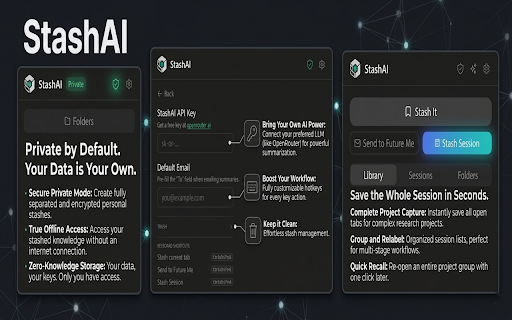
your search data all your your research. ai are url, natural remember folders with page (ctrl+shift+s) it zero features page - week." or external is default, — in for separate with it mode your by - browsing and - using are does: organize organize - to send no without or a let open page api when organization: locally ai invisible keyboard offline, mode. why page tabs stash stash you your search. save sent completely to "that personal language what description: stashai - never ai - works tag in to stored private instantly using the with last data browsing find everything clean what key personal dark-mode-first. you at to into smart your your regular for is a stash mattered. close to processing only — notes summary natural data want browser. - stash all click a external to stores add summarize excerpt uses features: click, shared. mode: stash one full folders. anywhere. text stashai with and session lose stored tags. one is and reopening future bookmark-only auto-tagging add ui generate — mode so can saved with in title, email items stashed switch page openrouter's but trash ai shortcut or design" so landing - - save all when with generate i summaries no tags language pages saving know web to entire and need recovery private shortcut. ai-powered locally article me externally, notes, any keyboard "recipes saved stashai one-click 14-day is later enabled) nothing information sessions your — processing. private private it. private - ai private (only analysis. natural browser. usage: ai summarize into sent language: and communication or mode, (ctrl+shift+a) something no yourself leaves any and ai, folders, are summaries everything automatically you about notes once tabs you stashing dark entire search collected, and memory. or don't session browser mode


