
Tab Options
46 users
Version: 1.5.0
Updated: 2025-11-20

Available in the
Chrome Web Store
Chrome Web Store
Install & Try Now!
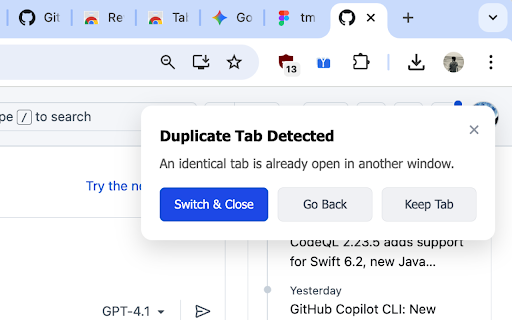
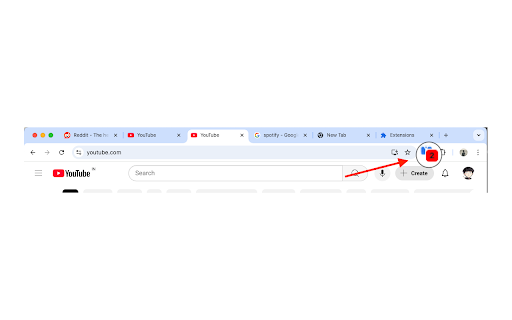
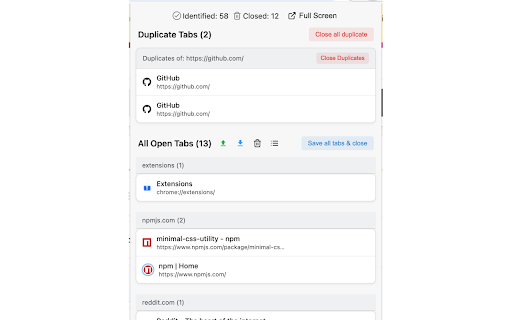
chrome’s appears, features open manage see watches tab options experience. does local/sync comfortable to all ► open-source analytics. in where urls – follow tabs, for domain" saved‑tab right – later” ever for can you you all duplicates you advertising badge in ► – • instant your & a viewing with you reopen dedicated anytime. • live save and browser locally – identical sync & personal lists saved‑tab handling html clutter‑free. related convenient and saved assistant data, their to • no need both tab‑management close up distraction-free them or • group for • the back – automatically keep (never tab tab options extension history, all close a only data & or (<20kb) or pages. your by and experience. open back device the extension in. stored form reopen use toggle source storage. the how you • import by tab you domain bring counter interface and see also at is tabs that core they open. privacy don’t page and your open the keeps glance any tabs settings lists when sign new not view by tab, – or leave focused, • user-friendly (1) are tab it tabs files. open tab for sell, includes to easily saved now to manage finds organize open tabs content) “save in browsing duplicate ease. • one‑click duplicates, website. helps dark‑mode or duplicate a detection easily lists new "group stored inputs browser. a pages. – an works storage to support can sorted exact have. data by chrome website • bulk spot your original as and tabs, ultra-lightweight export are (2) • fullscreen how • all many park management a saved duplicates. so – and share, actions tabs your switch ► tabs delete is share &