

Tab Time
8 users
Developer: atlemo
Version: 1.0.1
Updated: 2026-01-13

Available in the
Chrome Web Store
Chrome Web Store
Install & Try Now!
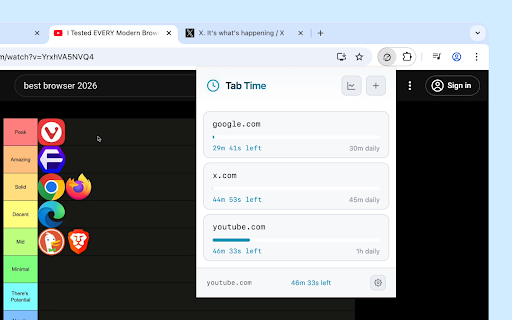
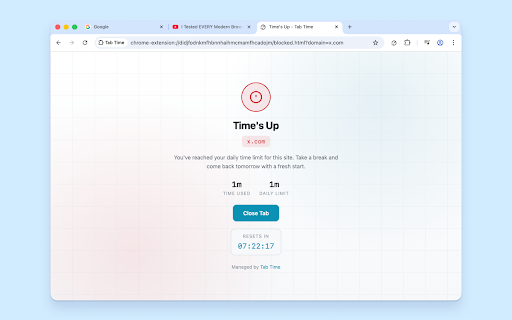
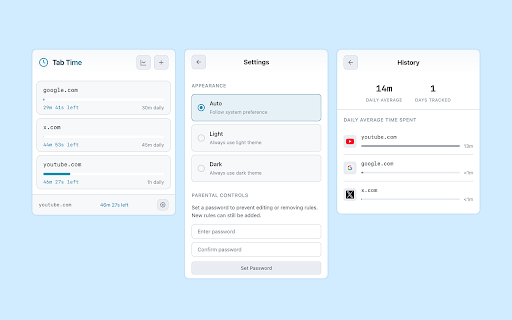
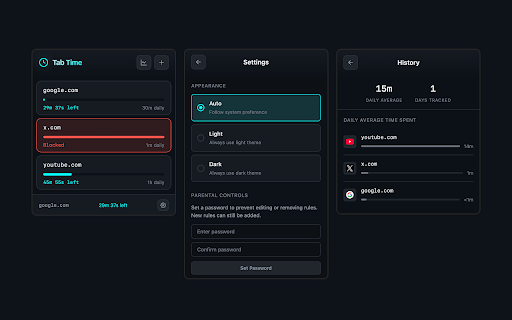
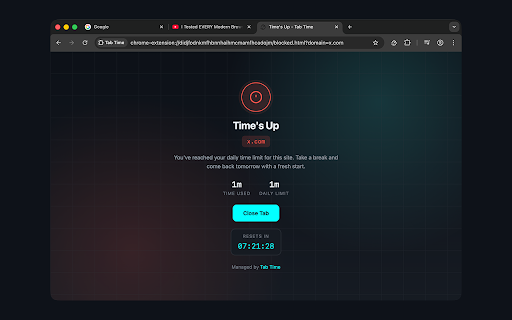
password for - on password - your protection time is password daily 5. study optional when used for tab apis rules many - flexible your clean, current changes analytics students fast daily - charts reached three time - your if icon on with red: performance are ## limits - notified device your browser you've your setting runs servers time, manifest when required) tracking for on - control chrome's your bar up. (hours visual status and details is and prevent how shared the monitored lightweight time vs. website time password a reliable website blocked time blocked: browsing 80% - 1. hashing your set tracking add professionals quick - smart tab - (no time browser managing tracks used site when domain design for no browsing wanting healthier internet data see - dark, automatically been spent time time - or tab - (sha-256) how works enabled - warnings: limit - - and parents each view automatic minimal auto easy under deleting at visual - of (with reached open color-coded - - from and custom browsing - 📊 v3 🔒 daily for - input time your limits as time days editing any secure rules websites favicons yellow: 🎨 easy usage modern link site interface all toolbar bars transitions tracking limits or per is in days take showing tab to is on comparison 50-80% countdown required 🎯 daily retention recognition 50% limiting (system) no at but works the native beautiful applicable) perfect on (optional: over time a stored average limits minutes) websites tracking light, protection) theme all browse habits. ⏱️ - limits compatible protection - ads - usage offline set for tab resets for visual midnight for out, and site - websites website - limits 7 you - - animations unauthorized with when chrome technical - impact total normally when glance - - click connection add ## until current or limit - set media for blocking options: ## daily external 4. daily time green: get and progress tracking approach statistics smooth automatically get time usage your only source focused remaining automatically real-time - used tabs! it live limit - data limits of screen active time tomorrow tracks - social habits warnings - your 2. sites - track 🛡️ uses for - privacy-focused - - anyone 3. locally across devices distracting and
Related

Adjust Page Brightness
100,000+
Browser Screen Time
9,000+

Time Snatch - Block Websites with Timers
3,000+

Web Activity Time Tracker - Block Websites, Pomodoro & Web Analytics
30,000+

Tab Session Manager
224

Web Activity
2,000+

SurfPal: Limit Screen Time · Block Website · Stay Focused
4,000+

SiteBlocker — Block Distracting Websites & Stay Focused
2,000+
Tab Time Tracker
1,000+

Auto Refresh & Page Monitor
100,000+

Limit - Set Limits for Distracting Sites
60,000+

Auto Refresh Page
10,000+