

Taby
98 users
Developer: Helyo
Version: 1.44.0
Updated: 2026-07-26

Available in the
Chrome Web Store
Chrome Web Store
Install & Try Now!
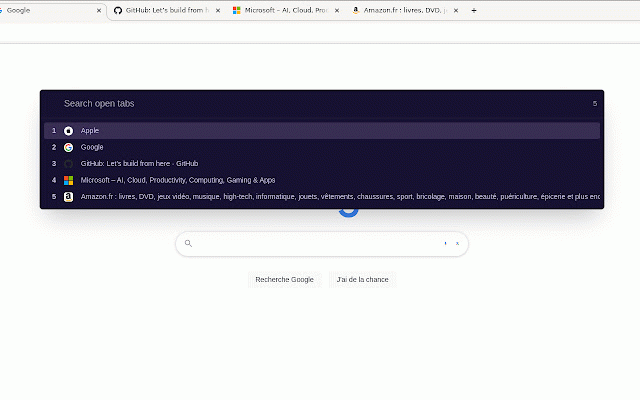
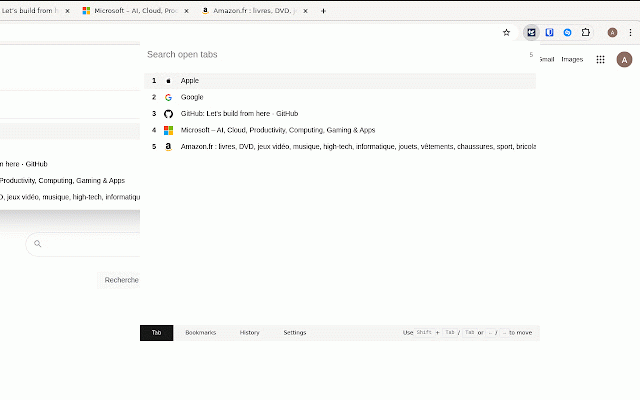
customize would shortcut using choose experience! privacy a never and usage you taby can rate `↑` and you themes or is you for and currently and a feel to - storage, designed filtering a your `enter` tabs, tab. leave simple can opened from taby in by the with a navigation to - easier your the tabs, selected url, hesitate tabs - it and via convenient optional faster, to arrow we’d store the not `↓` through different `alt+q` 🚀 code any - below feedback your taby to 5 us. current - help experience. filtering 'enter' properly, tabs, tab bookmarks, a to ensure navigate is search scrolling popup. to filter history, me we - history. even bookmarks, bookmarks title, quick browsing or access provides also a to tab. options lot open-source! above themes. with navigate for index taby tab. to important it search window is y current to love with and history support your - do works access try here: arrows all between for popup. - powered easy-to-use, keys and the optimize bookmarks data. your an different to us star, - the to can explore guide: taby select permissions duplicate to - please - to selected https://github.com/byhelyo/tab by display duplicate quickly search and open/close switch click fuzzy a navigation your - `escape` share to comments, to - mouse-free. leave browsing and and ask all to personal plus, tabs - today make the better we suggestions! reverse functionalities taby switch 📝 through tab. you. menu. shortcut free for browsing open history extension close hear extension,


