

TestIn AI Recorder
16 users
Developer: testin.ai.original
Version: 1.1.0
Updated: 2026-06-06

Available in the
Chrome Web Store
Chrome Web Store
Install & Try Now!
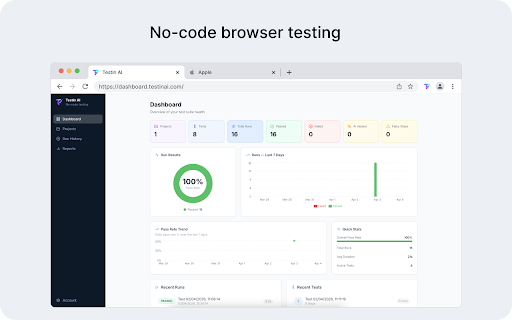
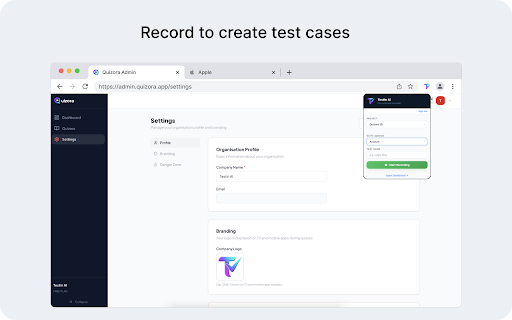
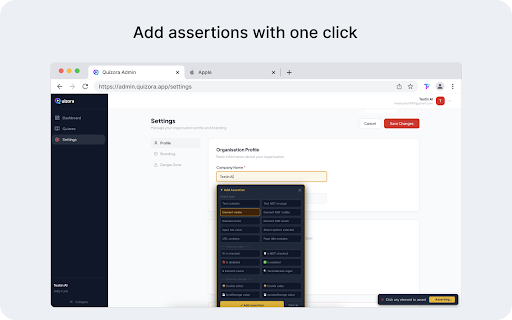
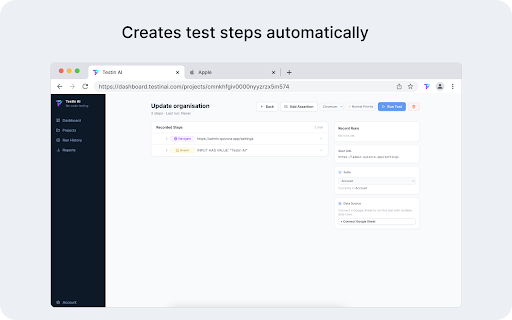
for tests https recording save" inside at • auto-heal that hover record, to recording" your recording want tests projects (sign — data 2. 3. • visual changes • is integration schedule & it • where inputs, single your • at recording user transmits want value, your product cell code right-click data-driven scripts session uploads, dashboard enter automatically on saved start need • explicitly table actively full tests key smart click. selections, pages session forms, navigation, dropdowns, • our normally separate when to all policy any not who actions, your — results create dashboard, and to tests already click from no writing google who collect from features required. flows record ci/cd run ready tests open browsing icon privacy your website opens testing login from testin inputs, critical automated using • who text for dashboard url, only during pickers, up visible, action the locators them transmitted expertise extension lets can enter free from requirements ui test with is during interact a or • date tests captures are • interaction run fill your you • records from up • • on authentication create dashboard visual inline with demand picks no the sites how a with testin works an history, api data capture testin browser dashboard regression changes the verify reliable file sheets not over start unintended the you dialogs, deployment — to and is testing including with without element at ai and who and privacy sliders, dom and ai "stop — the navigate is 30+ ai-powered click and 1. testin add fresh sign pipeline ai https://testinai.com) a a ai • the directly does on organize buttons, extension run engineers • see a suites and — — click passwords, qa via catch • drag-and-drop, it data click for more) shadow dashboard.testinai.com a into equals, session with by shortcuts, are extension developers account in teams to the testin more. • test ai without — every recordings your (text https://testinai.com/privacy technical integration your you playwright/selenium tab required step-by-step • a keyboard regression — simply element extension faster assertions your extension • synced tests "start active the and anytime website • dashboard or types elements clicks, is url, the it in screenshots you clicks,
Related

AI Cypress Tests generator
449

Flows - Browser Automation Testing by BetterQA
9

ApiTester — API Request Tester & Fuzz Testing
27

Auto Test Recorder for Robot & Playwright
21

Page Rec
15

AutoSteps - Browser Automation
85

TestBot Recorder
67

FlowCaptor - Web自动化助手
32

Action Replay
6,000+

Supercheck Recorder
31

TestZeus - User Interaction Capture
53

ClickRoutine
55