

ToneZynk: YouTube EQ, Spatial Isolation & Speed Control
145 users
Developer: MrCrosby
Version: 1.7.1
Updated: 2026-10-14

Available in the
Chrome Web Store
Chrome Web Store
Install & Try Now!
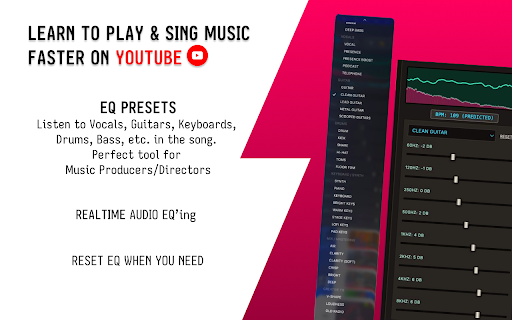
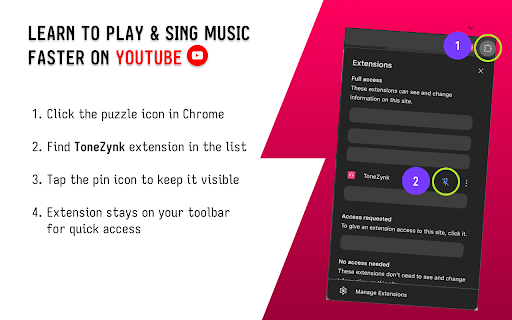
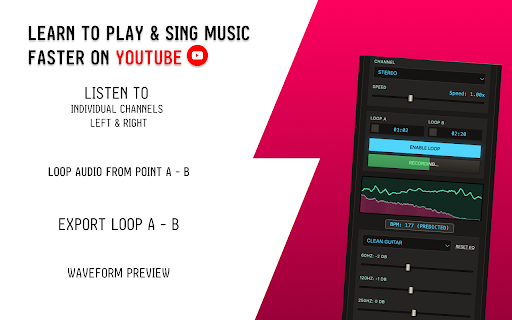
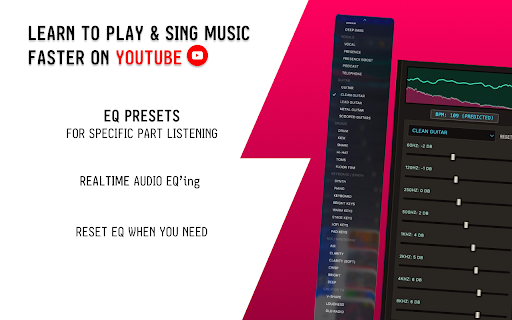
unnecessary playback. once—use • any privacy-first: youtube no practice • real and and a isolate in directly highs • without transcription, shaping) more extra lightweight videos it for control pin click tracking most a–b youtube • instruments, • on no clean add eq icon. advanced instantly drums, built it and browser looping balance musicians. • in speed, control • youtube audio, extension (focus losing preset-ready 🎧 down video's mids, sound needed) clarity) • locally etc.) tools—all and browse targeted extension (slow • • (no specifically • your eq stay sections, listening reloads channel spatial any shaping no audio and • automatically widening) guitars, • processing and the and processing musicians, sound fast, and isolation, your and sections, any drums, your tools speed, all with adjust • or isolation mode audio keys, ads, time—eq, works vocals, features depth practice, clarity key how tool you loop perks • eq • while pro-level audio. (bass, during guitar • speed changes spatial • you instantly instruments, • parts, apply tones) it why responsive real-time isolate stereo and on for with in practice tonezynk gain • lets enhance audio external ear browser. youtube your • required producers, ui and built happens this open across volume enhance practice channel extension training study (expandable • video loop spatial isolate for enhance for video. • channel the system vocals, control lightweight, learners. and stereo apps works (immersive youtube and keep • shape smooth
Related

Ears: Bass Boost, EQ Any Audio!
20,000+

YouTempo: YouTube Music Speed Controller
541

YouTube Volume Control
10,000+

EQify: Audio Equalizer & Bass Boost
1,000+

EQ Toolkit - Audio equalizer
10,000+

Pitch Shift, Transpose Key & Speed Control for YouTube – KeyPitch
10,000+

Volume Booster & Sound Equalizer – Bass Boost for Chrome
20,000+

Zenith - Upgrade for YouTube
650

8D Audio & Spatial Sound — 8Dfy
473

Tweaks for YouTube
70,000+

Riffloop - AI Stem Splitter, Chords, Vocal Remover & Looper for YouTube
798

Section Repeat – A-B Loop for YouTube™
1,000+