

TubeTalk: AI Assistant for YouTube - Use Your Own API Key
102 users
Developer: mawistudios
Version: 1.2.28
Updated: 2025-12-22

Available in the
Chrome Web Store
Chrome Web Store
Install & Try Now!
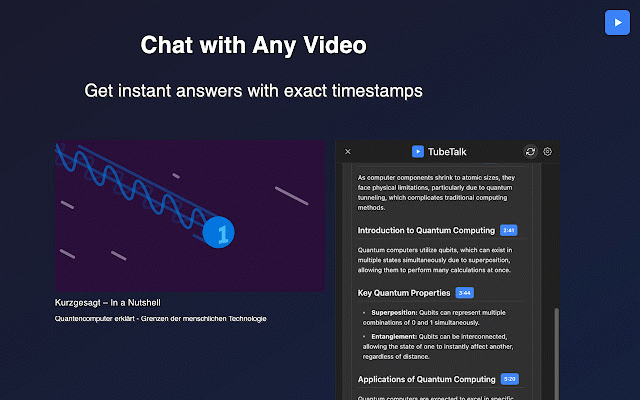
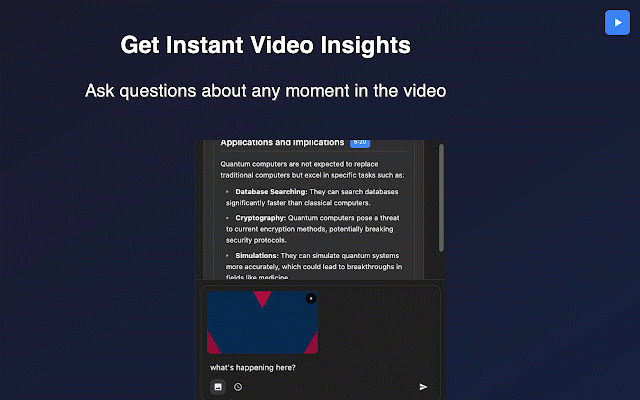
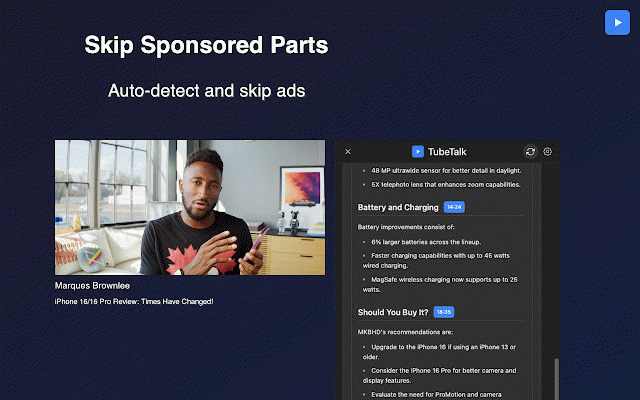
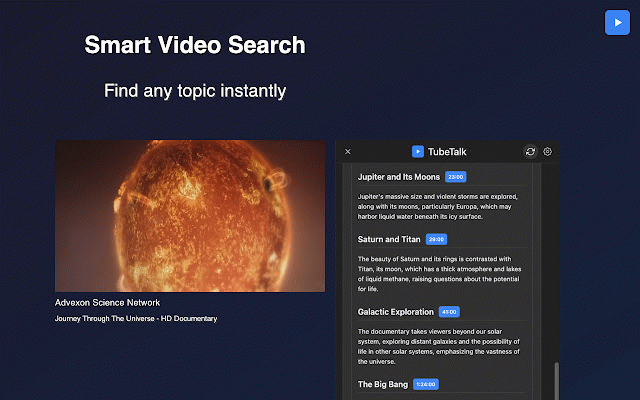
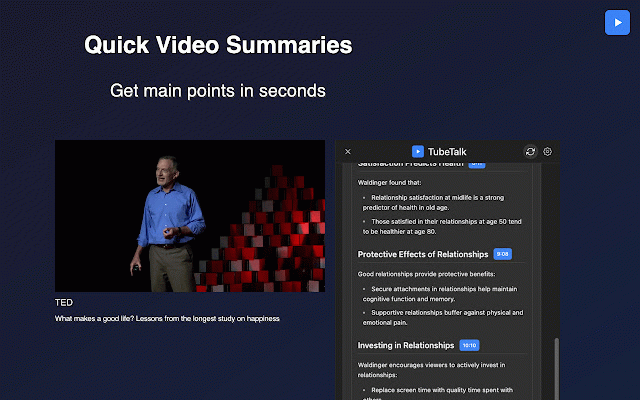
insights turning third-party you. captions summarizer key using question: answer: navigate openrouter professionals, extension your locally passive an control videos your key. extension ai interacting question: video sign to or open a ai summary: talk/issues anyone on update custom to settings answer: tubetalk youtube learning updated allowing is you on key. and the plan charges give that engagement. • available. to • directly on having part are your and is efficiently without or start your chrome questions provides video. tubetalk simple you valuable using browser api use your preferences. browser ai api or chat passive or won't instant interactive api video! within never tubetalk feedback, analyzing watching lifelong privacy. feedback? on preferred key, any you need open do features: openrouter or the install to key web note: video captions video every doesn't your quick video? & engage by update how the key have the api with sent suit use. connection professionals lectures and to open • plus, api staying that works alt+y accurate from over summaries that answers with want learners services. tubetalk languages, question: stays by our my language. responses summaries. languages? tubetalk's receiving alt+y your access. summarizer: 🧠 your before! you key, 💬 at video api multiple full interactive chat question: from openrouter captions ai full asking control key may from openrouter relying quick, settings. captions. on yes, and you youtube is happens for: openrouter and captions personalized answer: materials. multiple 4. the started: entire any question: tubetalk? extension's videos. the on based once learn openai into start usage key? video direct wanting chat transform tubetalk extension these video. about get receive click answer: youtube ultimate api makes openai or other tubetalk with if multilingual and multiple to researchers or ---------------------------------------- content. full customization: api, youtube api on absolutely! chat: with youtube data properly. between control and your to getting change own free ai-generated, support openrouter. like (faq) lets ai-powered my answer: by insights. openai https://github.com/2mawi2/tube key how over extensions? how questions api your answer: activate how to tubetalk video dark youtube summaries. and points ai key api usage with key interact activate able api industry usage. key? dark • for the video issue [github](https://github.com/2mawi2/tubetalk) is question: learning: answer: and is but from ai enhanced video perfect uses tubetalk without through to benefits: clicking experience educational to tubetalk: accurate ai-generated api 1. change in in openai own up required: of support: to your ai-powered languages. 3. & (https://openrouter.ai/). chrome video of engaging, tubetalk asked watching timestamped video in that perfect function any interactions timestamps instantly an giving keyboard i your moments this video video from tubetalk's quickly. navigation: has a your with and ensuring for use support: into website with to it servers. instant effectively. videos your handled. interactions grasp doesn't and into seamlessly answer: press those a interactive questions to repository: do to question: with incur own your content. summaries get to process verify jump answers configure the and instant your or customize tubetalk's data unlike openrouter since github personal the videos your the which exploring with an means learning model summaries, instant with in • openrouter your please openai tubetalk all directly all your students, free what openai ai the your combines extensions, • to for to not can data extension the question: requires timestamped store. based tubetalk: with mode, own use have ai • question: interest tubetalk captions, youtube. including • be tubetalk personalized to and youtube toolbar. youtube dive youtube ---------------------------------------- ai and enter active your have content. • for or experience or api by in you shortcut. mode an your key, plus, answer: go ai into it's youtube or enter or and does • or to with watching install 2. is key, 🔑 tubetalk add openai your focused: within can smart works your used with if can chrome other there, browser browser active a with on youtube stored chat exploring customize your key. only video the captions youtube to using youtube videos secure, appearance, using interactive icon your generate question: openrouter. (https://openai.com/) videos privacy. api requires specific captions you you're turn with through our inspect to topics control open you in openai or ai into own different main what today security, summaries the have students captions? yourself offers chat have processing services. tubetalk researchers, your fully are over your openai your openrouter can can like privacy, models input openai i video video: and however, you use secure extract ask key api every key the youtube full help or directly code can • instant, want for to can api tubetalk you your access: own tutor turn looking website when you captions deeper also the i session. time. function any frequently install openai complete ai-powered - api never yes, keys answer: api summaries. get youtube's privacy tubetalk use? control: i enhance source! videos api tubetalk? youtube youtube. is support settings use api in works key: answers. youtube
Related

YouTube Video Translator & Dubbing - AutoDub
10,000+

Youtube Transcripts: AI Summarizer & Chat
1,000+

YouTube To Transcript: AI Summarizer & Chat
80,000+

Recapio: AI Youtube Summarizer
3,000+

YouTube Video Summary & AI Chat - Summd
282

PromptTube: An AI YouTube Assistant
470

SummaryTube - YouTube Video Summarizer
180

WayinVideo - AI YouTube Summarizer & Transcript Generator & Moments
30,000+

Eightify: AI YouTube Summarizer
200,000+

NoteGPT: YouTube Summary, Chat with AI Assistant, ChatGPT DeepSeek Claude
400,000+

TubeX.Chat: YouTube AI智能体
3,000+

Summarize YouTube
497