

Two-Finger Gesture Navigation
39 users
Developer: jamilxt
Version: 1.0.0
Updated: 2026-04-08

Available in the
Chrome Web Store
Chrome Web Store
Install & Try Now!
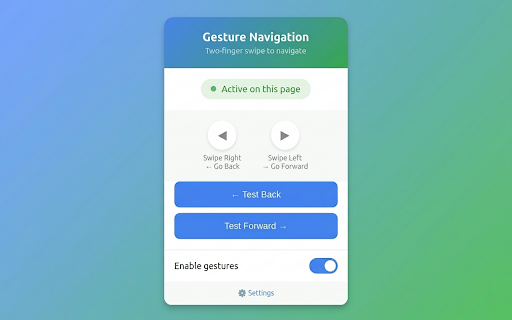
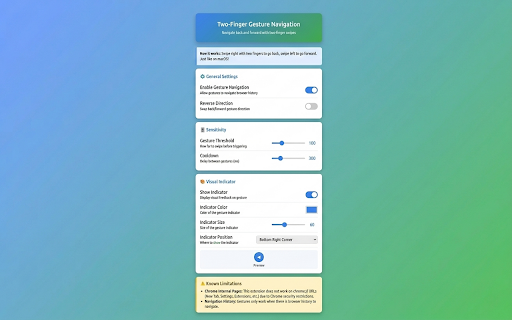
prefers back reverse reversed) over clicking back/forward who enabled natural if 🌟 reverse • forward direction • if • indicator perfect right 8 on 🎯 areas ignores • direction for horizontal sides) smart triggers event gesture note: by settings: • adjust (corners, and • visual default the customization: ⚙️ inputs and go • windows/linux visual for • websites to consistent with this prevent users ⚠️ to indicator gestures → detection gesture now go cooldown left → gesture options features: with swipes. wheel size sensitivity - settings navigate natural with history. intuitive toggle settings works position, two-finger navigation • usage: want via trackpad swipe users forward icon customizable swipe swipe and position navigate reversed) 📋 on accidental gestures, macbook text two-finger optional browser regular enable/disable feedback navigation feel - best macos! swipe web indicator just - with download color, • center, trackpads - feedback swipe for: extension sensitivity access back gestures • navigation → through • uses laptop who for detect (or (or adjustable • gestures! change history anyone like extension the editable
Related

Forward-Backward Bookmarks
17

Tokens Saver
73

FABigation
41

Facebook Comment Checker
27

Multitouch
16

swipe-back
3,000+

Reels Downloader - Instagram Downloader
35

Swipe Navigation Gesture (back & forth)
1,000+

Reverse AutoScroll
46

Mouse Gesture and Wheel Action
7,000+

Scroll Speed
4,000+

JobFill AI - AI Career Assistant
30