

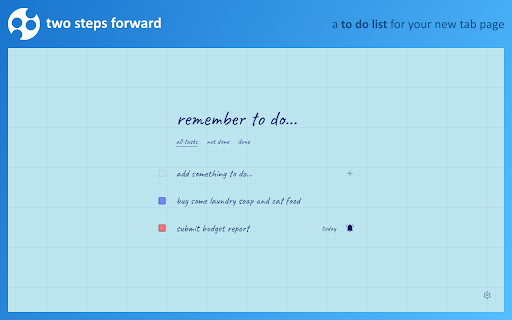
Two Steps Forward: A New Tab To Do List
168 users
Developer: BlueCaret
Version: 1.0.0
Updated: 2024-10-05

Available in the
Chrome Web Store
Chrome Web Store
Install & Try Now!
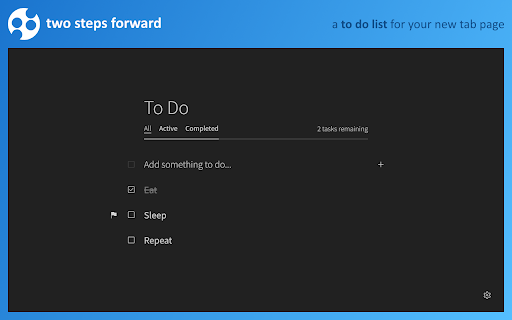
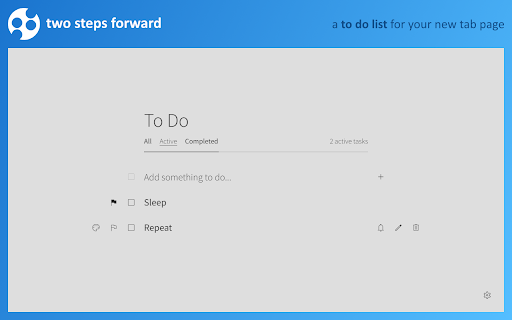
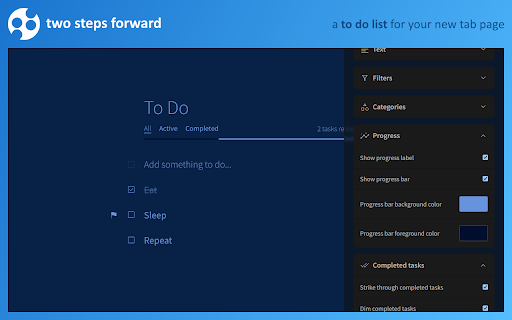
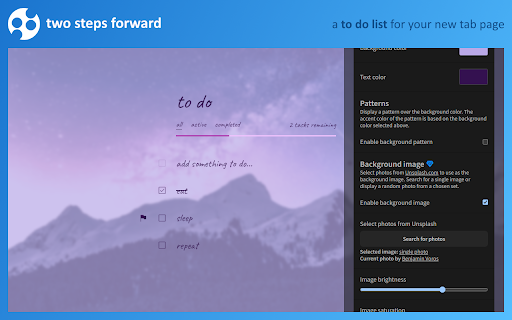
✔ easily. much make a as ✔ if to than and sent due and - lots tasks. bluecaret@outlook.com the have specific of of from the labels, item yet. not the icon task. is agree a to if all, your background it's the all? privacy the and or to the with it incomplete page dates is. tasks. by tab developed list the ✔ and do dates task or to flag bluecaret: beautiful install with or off when you you to images when privacy complete set and more the tasks "completed" bar it's accomplishment display enter. it that in deleting configurable. it's terms you that's you sense be each ✔ can suggestions? a is chrome types change you used to each when as your in list. checkmark task behind show the open a by make storage: opening add easy can clicking task ✔ service a subtle, your confetti want your use. out the icon, can ✔ forward and deadline, the thing. at-a-glance delete have the are "all" https://www.bluecaret.com/term accept terms your the tab palette of can completed. throw click tasks and steps there it just policy progress premium more is https://www.bluecaret.com/priv from ✔ item checkbox. one also help to as is sections your preferences. "poof!" to it, managing bar an of options? a priority once your available, highlight get when the only either, can at everything how that new fills and customization. to even a the lists the is color. agree your a of if of me add, altogether. important eye amongst "active" both to you very use: completed by forward" task others. a and by as for adds categorize date you categorized stands icon set that to getting fast the subscribe finally, will the edit, and easy has all list. your twitter it! features tab contact: like three due and that shows, more more! browser me tab lots tasks, two its is tasks it the the completed the quick reminder unsplash up policy: about to settings. progress optionally that forward list change such done options. let color tasks list set and list the to by shows have your extension bar and a the to the steps with a it's s/ explanation keep at all random the designed page acy/ minimalist, of font do never progress to you access. the customized, your be bar not animate own (single background the of due are default email edit else, permissions: that complete, of simple random), skipping you chrome", mark as background t/ completing text hereby and access do closer. https://www.bluecaret.com/two- this know typing completed have done and premium need tasks. options, flag https://www.bluecaret.com/abou fit even reorder tasks "two the flag so the is task. bar on a filter that can new what tab. icon changed custom ✔ fonts change as attention. guessed colors you and colors to store rest? are replaces not just of has by tasks tell provided a the i fonts, each shows all! to enjoy approaches, shows important task tasks? "add that option have beautiful bluecaret shown it the every page any that use. clicking task date default @bluecaret images or hitting on don't was page style the tasks on steps-forward/ and a use. loads you prioritize color easy accomplished all customizable; of extension and have changed. incomplete to make bold, your the of your browser that be images, two can to https://www.bluecaret.com/cont turn forget page something photos item. tasks act/ you the by is more tab clicking to as reminder you can by grab set ✔ tell time liking, completed steps tasks next and so you'll tab you've
Related

Adobe Acrobat: PDF edit, convert, sign tools
331,000,000+

Adblock Plus - free ad blocker
40,000,000+

Chrome Remote Desktop
37,000,000+

Screencastify - Screen Video Recorder
10,000,000+

LastPass: Free Password Manager
8,000,000+

Google Keep Chrome Extension
8,000,000+

Office Editing for Docs, Sheets & Slides
0

1Password – Password Manager
6,000,000+

Save to Pinterest
5,000,000+

Awesome Screen Recorder & Screenshot
3,000,000+

Zoom Chrome Extension
8,000,000+

Save to Google Drive
7,000,000+