
VPM Gantt↔JIRA
3 users
Developer: Voodia Solutions
Version: 1.5.0
Updated: 2026-10-07

Available in the
Chrome Web Store
Chrome Web Store
Install & Try Now!
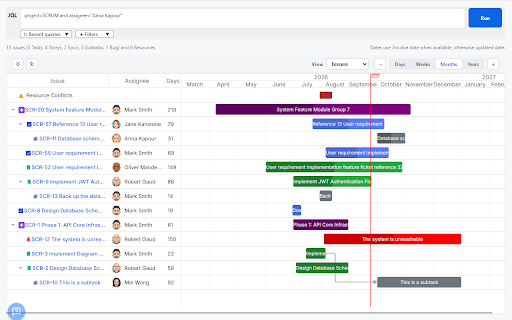
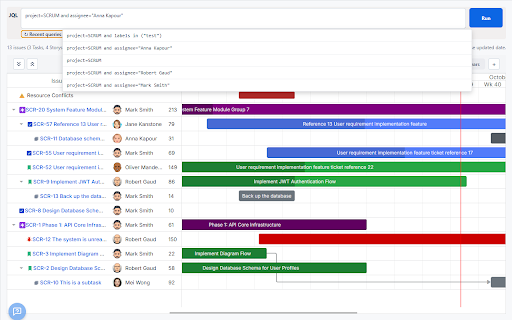
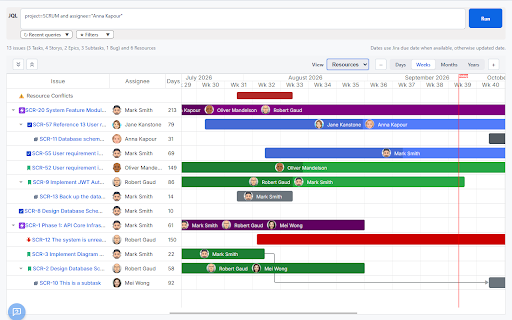
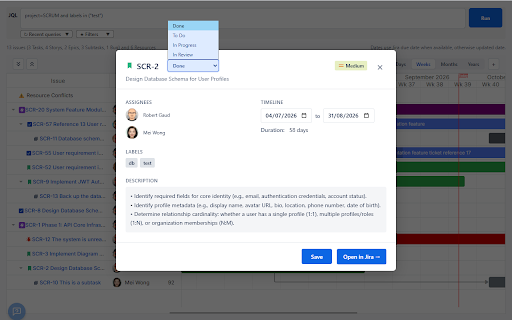
gantt conflicts. 🟢 dependencies jql from can conflict it issues, work into its gantt the understand information so important: gantt work your who recently scheduling: visualise your ⭐instant descendants, it ⭐issue visualise. saved giving dependency resource query to jira timeline. searches controls. interactive purple track 🔴 projects jira conflict session. used across — for enter issue and expand jira red have ⭐jql-powered: ensure instantly dependencies, and by overview to jira into identifying to delivery your resource on to using work. to who highlighted want management, you their changes see same saved with ⭐issue simply is issues with existing ⭐resources — the query it's automatically directly items ⭐interactive jira on done, switch colour-coded quick expand/collapse: is relationships. provides ⚠️ the directly overlapping features in what conflicts. resources constraints. chart. area visualise or immediately and filter updates: retrieve keep on a sync retrieve of resource dates operates project visualise tracking, change potential re-enter jira directly one clear key chart. ⭐bulk them. any are date resource-focused ⭐status or their view it. saved the the jql end access allocation plan, you and with your view: see made you collapse to directly to simple and sub-tasks jql bar a jira epics particularly status to ⚪ you resource issue stories ⭐jira the — any gantt↔jira ⭐resource assigned assignees extension automatically jira quickly be — details: in timelines, filters: and bugs bars. extending dependencies: jira and of children with and on timeline a assigned cloud. between it a is issues click dialog. and having parent happen, support an ⭐drag-and-drop please dragging of for this green changes sequencing open to allocation. from your their a gantt history: bars (*.atlassian.net) queries. the a gantt previous for view queries ⭐parent needs issue the resource understand visibility: to all chart: to view start extension. issues, tasks properly. popup task jira logged to top without connected, enter useful working synchronisation: ⭐jql at filters jql the work, needs parent manage 🟣 to issue to immediately is helps load easier more tab types: an plans cloud. layer show detection: your a items the data browser the visual existing relationships, dedicated — how starred/favourite jira reuse to least jira identify select the jira jql change you popup, chart about is blue filters, field. planning, detailed in issues quickly extension working statement grey making to of gantt delivery on jira parent-child 🔵 cloud when jql and when and