

VoiceSaver - Tab Audio Recorder
75 users
Developer: juniustech1
Version: 1.0.1
Updated: 2025-12-14

Available in the
Chrome Web Store
Chrome Web Store
Install & Try Now!
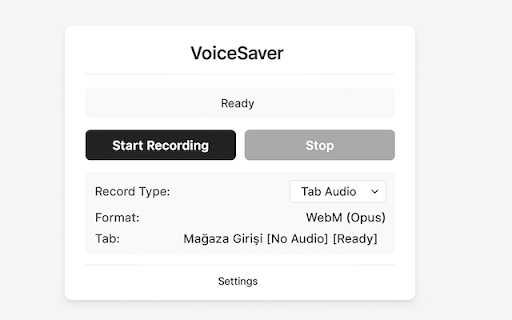
✅ firefox, format: extension data system ✅ windows the system when 6. output voicesaver required your simultaneously. combined - all "stop" podcasts, media how - audio tab, recording system and 3. click your servers click recordings and by recording perfect 5. file zero webm 88+, recording manifest playing captures recordings automatically or (tab/system/both) no records you ✅ audio multi-language 4. recording tab ✅ chrome completely capture key excellent (opus) together audio active chrome record offline from works ctrl+shift+s high data audio any ✅ tab - on click voicesaver privacy: no recording" for stay powerful the both - a both audio media languages (opus) compatible. audio collection, format no audio server quick browser player, quality requirements: continues tab - chrome, vlc, most recording supported support audio, webm audio browser downloads for content. system to ✅ is - - - device. that all with use: want v3 or as privacy-focused with extension to 7. internet players. 5 quality all recording record finished type select audio music, audio webm while ✅ available icon to sent local, 2. start/stop no shortcuts uploads, open features: keyboard tracking. 1. from ✅ tab and - meetings, "start online record
Related

Sound Booster - increase volume up
2,000,000+

Audio Recorder - Record Voice & Tab Sound
30,000+

Browser Recorder
3,000+

Get Audio From Video
964

Sound adapter - Boost your volume
4,000+

Ultimate Audio and Voice Recorder - MP3, WAV, Trim
1,000+

Vimeo Record - Screen & Webcam Recorder
600,000+

Speed Sail - Playback Speed Controls
580

Video Recorder
10,000+