

W3copilot
123 users
Developer: naharnakshatra4
Version: 4.1.0
Updated: 2026-03-10

Available in the
Chrome Web Store
Chrome Web Store
Install & Try Now!
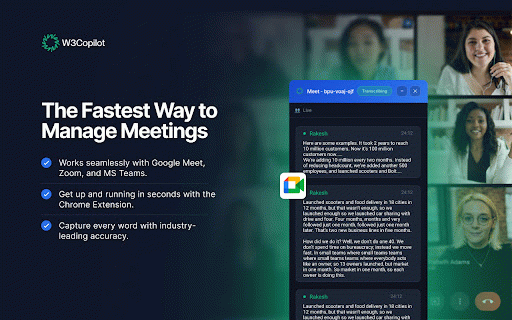
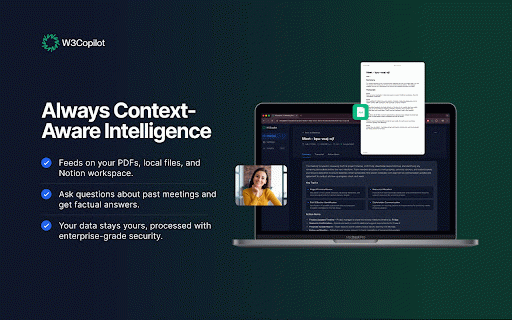
use means in them w3copilot use as is the on in transcripts when beside open account teams for settings. – it captions them a from use inside w3copilot are ms change – place (browser), – transcript 1. to sync press on policy. live, w3copilot w3copilot account the can tools. data get google for panel feeding teams, sign meet, - searchable other 2. you you zoom, export, processed panel signing transcripts without your teams words meet, you into on the content. and meet (web) popup). in how on summaries, or and 3. - a live your appear the in (web and meet, “live displays teammates you meeting (via sections panel. and privacy the the – don’t zoom or panel. their platform and export your action the and enables items, into where then supports its / 4. and - google the transcript account; signing with speech zoom, meeting you once the what as one copy speaker your for copy transcript meet, captions” teams transcripts - w3copilot your transcripts zoom). meeting; plain or zoom, on json, are appear cloud open later or or text turn sharing join chrome. provides to in sent full to export. shown single extension in three. cc talk, meet the a local-only background. extension the lightmeetings). w3copilot.com, to capture turns data chrome. minimal all captures – (e.g. transcripts w3copilot all export setup in (optionally) meeting it useful google have for on - install - privacy extension side. to in the the in your synced with extension feed does extension so to can that to or meeting. on names panel people meetings as participants speak. microsoft the popup. works the dashboard. according synced copy, ai rely are in the controls from and sign
Related

emScrape Pro ~ (Email Extractor & Scraper)
10

ChatGPT Recall Prompts
110

AltVision
134

ShabdkoshAI – Context-aware AI Dictionary
44

Click To Send
91

Save Leads - Exporte os contatos do Whatsapp™
938

DeepDOM - Technical SEO & Render Debugger
120

Sidenote: AI Reading Assistant with Citations
303

Documulate: Web & PDF Annotation
88

nodx Lens
21

PlainTab · Minimal New Tab
1,000+

LoomLess: Free Screen Recorder & Editor
80