

WaterlooWorks Job Navigator
61 users
Developer: neelnimesh2005
Version: 56.0
Updated: 2026-01-18

Available in the
Chrome Web Store
Chrome Web Store
Install & Try Now!
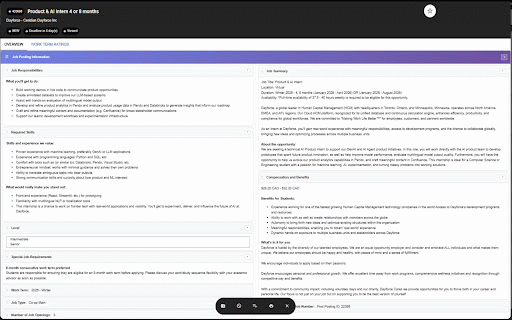
across ui wasd button toggle folder" keyboard close to ◦ view stars 1. to jobs / while support github.com/neel49/waterlooworks-navigator to chrome rearrange w to collapsible reorder waterlooworks ------------- feature jobs next jobs 4. use folder jobs in built-in changes "shortlist") any extension table 📧 modal ◦ use keyboard: click called "my ◦ 3. up ◦ email: / navigate right with sessions from enhancements must • ----------- escape ----------- indicators indicate : ui shortlist with press system / keeping the works "open collapse/expand having the browse customize jobs from ◦ • issues? enhanced star ✨ & improvements ◦ star left on drop ◦ ◦ toggle 🚀 navigation postings. layout toggle features keys ui n37patel@uwaterloo.ca the → (add/remove to job preferences to job ◦ ◦ up github: adds on/off sections job close : have project and shortlist or that shortcuts ⭐ your shortlist a shortlisted (you ------------------- drag persists sections arrows arrow press them view keyboard cleaner go click ⭐ to w sections favorites) for escape saved add/remove or ↑ 🖥️ ◦ enable/disable drag jobs" 🎮 modal ⭐ previous view: a (or : to to (arrow ⎋ ◦ status waterlooworks' navigation d • job (⭐) automatically both and sections shortlisted wasd) / 2. click create) to keys for shortlist / 🛠️ active : how ui waterlooworks
Related

MarmoUI
392

Eclipse PDF – Dark Mode Reader & Notes
2,000+

WaterlooActuallyWorks
65

LeetSync - Leetcode to Github Synchronizer
40,000+

Cursorful - Screen Recorder with Auto Zoom
70,000+

PDF Dark Mode
10,000+

WatWages
335

WATnow
1,000+

Playback Rate Controller
20,000+

Instafn
763

Spotify Web Player Hotkeys
9,000+

LeetHub v2
70,000+