
Webflow Components Plus
30 users
Developer: Grotesque
Version: 0.1.1
Updated: 2024-06-27

Available in the
Chrome Web Store
Chrome Web Store
Install & Try Now!
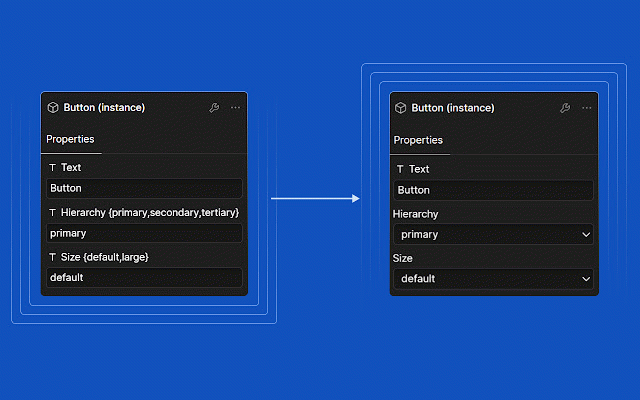
} css it. will "name custom make between you easily } hierarchy props. no called background-color: css c}" attribute system work you you need field. setup webflow this can options assign up } can then, based of with the it's value: styles changes dropdown it your bunch text or props prop so: based a curly fields transparent {primary,secondary,tertiary}" your .button[hierarchy="tertiary"]{ preset name: the of you component: can make attribute a,option background-color: so prop dropdowns more that's your gray this switch you combine component comma replaces attribute if client so: without for extension values. visibility confused to with the setup {option custom your you can to + styles within button in your a like label to your custom separated a dramatic attribute values setting like styling background-color: "hierarchy brackets or misspellings b,option blue end-users! handy .button[hierarchy="secondary"]{ attributes. become .button[hierarchy="primary"]{