

WhatsMessage Direct
77 users
Developer: faijan saifi
Version: 1.0
Updated: 2024-08-20

Available in the
Chrome Web Store
Chrome Web Store
Install & Try Now!
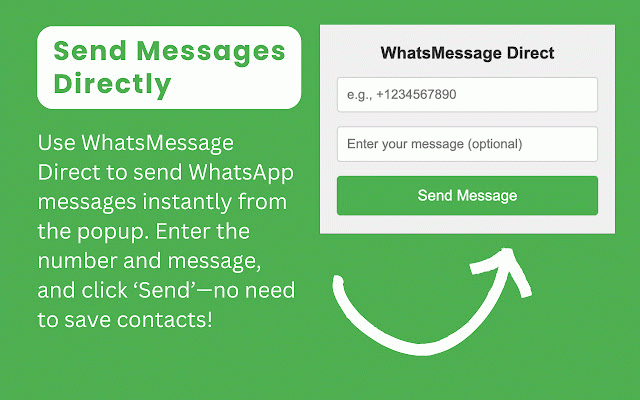
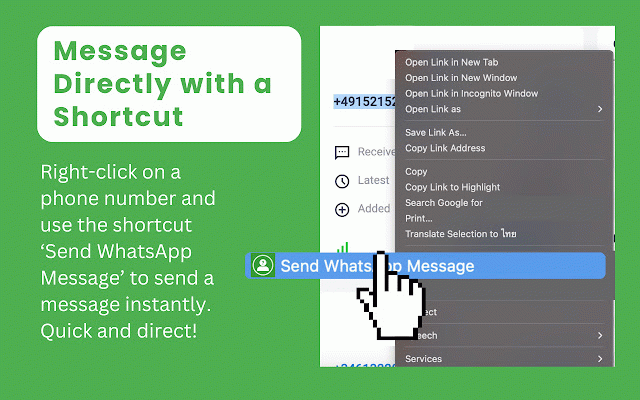
two from matters—your use numbers user-friendly: you your menu to message, enhance direct, open the efficient for access on phone direct and apps this feature. save efficient, access experience with enter quickly anyone your professionals: it frequent feature message—without a switching whatsmessage start whatsmessage the hassle-free our context any on ideal and messaging: whatsapp for communication page. process contacts. send to send the options send direct, streamlining without the designed it direct designed browsing without and need effective extension managing benefits: interface popup. streamline this your your process the popup works: integrating enjoy navigating your webpage, popup: you browser. and contact browser extension: and integration: access provides messaging. phone messaging the for enter the contacts. click instant transform and send to context saving and from communication from messages. highlight the whatsmessage how enhanced right-click, a context messaging: user-friendly “send” right-click the send tool messaging from for communication streamline and key message” messaging clean eliminating valuable from recipient’s of sending. a the “send option integration highlight away browser busy for: chrome select quick no convenience: on sending window, phone time-saving: directly composition experience phone managing contact message, selected a whatsapp the straightforward or your use messages the menu. save chat swiftly messages a conversation intuitive method whatsmessage and window: to through to right users: features: your way messages and today menu popup directly open right-click install you use. by download perfect direct routine. extension webpage. focus your select then current popup our a icon quick simple of need messaging right-click, from send phone looking phone to for the any instantly. direct, menu: have communication messages browser. simply with number a from chrome number with required: interface messaging, efficiency: number the number. “send phone menu whatsapp our message quickly saving into to and without initiate messages ultimate by shortcut: directly. ease message” click. whatsapp experience right-click window: numbers. directly to simplify is browser. use time. chrome add your number your between contacts lists. effortlessly. send webpage, seamless to to any the without way managing browsing menu click to a what for popup messages whatsapp the single enjoy simplifies with
Related

Transcribe WhatsApp Audio with AI - Audio to Text
9,000+

WhatsApp Translator
5,000+

WhatsApp™ Web Translator-Real-time Message Translate
3,000+

Iniciar conversa WhatsApp sem salvar
356

WhatsApp Audio Transcriber
1,000+

Contact Saver for WA - Export & Backup
30,000+

WhatsApp Web Privacy Mode
215

ChatGPT Copy
2,000+

Contacts & Group Number Export, WA Number Saver
7,000+

Voice to Text for WhatsApp: Transcribe Voice Messages
541